Today we are releasing dbSlice 2.3, the first public version of a tool we have used for years in production projects. It does one job well: move data between databases, and prove that it arrived.
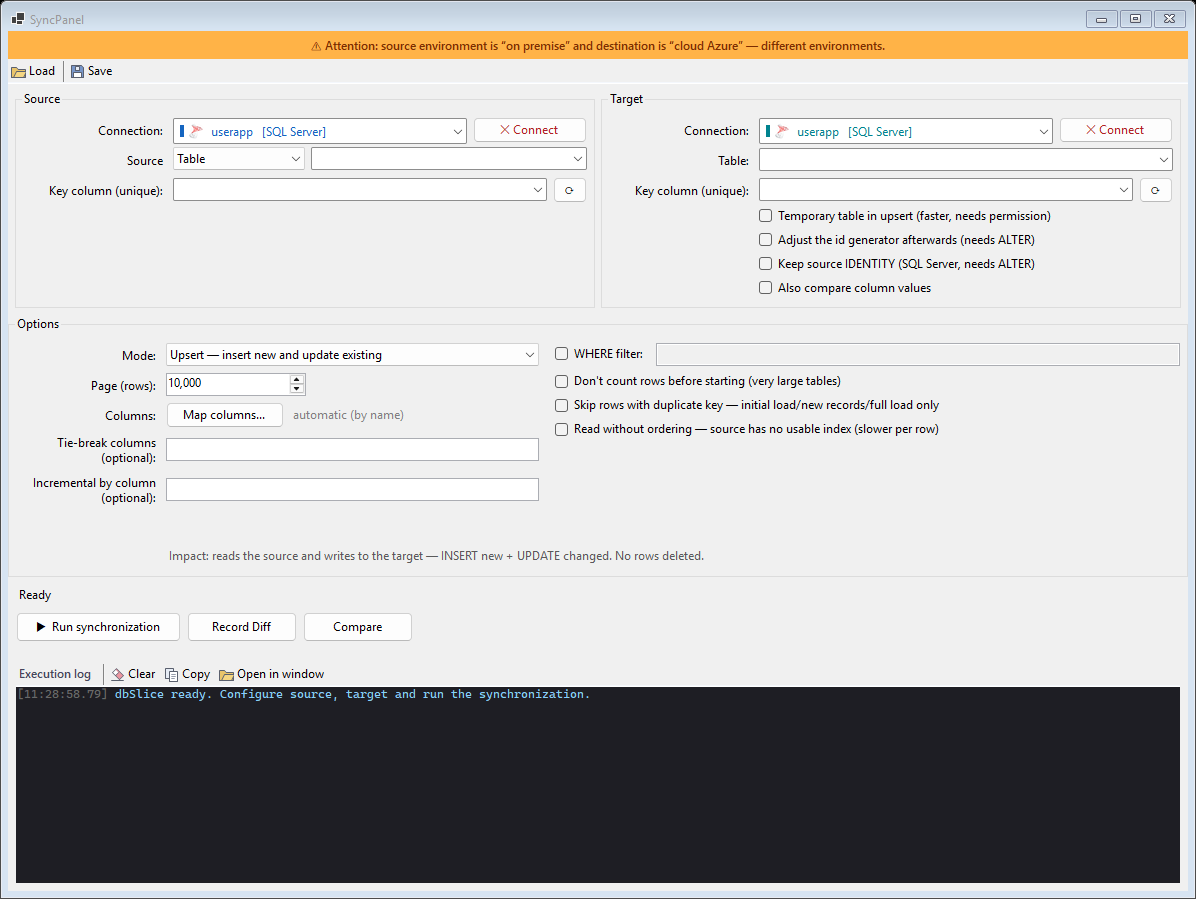
What is in 2.3
- Copy and synchronize tables between SQL Server, PostgreSQL, Oracle, MySQL, MariaDB, Firebird, SQLite and
InterSystems IRIS / Caché. Pages are read by key, so a long run does not lock the source table, and an interrupted sync resumes from its checkpoint instead of starting over.
- Choose what moves: a table, a view or your own
SELECTas the source, with column mapping between different
schemas.
- Export to files: CSV, JSON, XML, Excel, SQL scripts, Markdown and C# classes.
- Compare source and target: reconcile both sides by key and save the list of divergent keys to a text file,
ready to re-sync only those rows.
- Mask sensitive columns per column while you copy or export, so test copies don't carry real personal data.
- Data view and structure compare: browse a table and compare two schemas side by side before you move anything.
- Command-line jobs: save an export, copy or status check as a job file and run it from a script or a scheduler.
- Interface in English, Portuguese, Spanish and German, and online updates from inside the app.
Who it is for
DBAs refreshing staging, developers who need a slice of production in a dev database, and teams planning a system replacement who need the old and new databases to agree while both are in use.
What it is not
dbSlice runs batch jobs. It is not real-time replication or log-based CDC, and by default it does not create objects in your database. You decide when each job runs, and you can see exactly what it did.
Get it
Download dbSlice from dbslice.net, and read the articles for step-by-step guides.
Update: since September 2026 the free version is also on the Microsoft Store.