
Skip to content
dbSlice®
Product Who it's for Performance Pricing Blog Guides Support PT Buy dbSlice

dbSlice / Use cases

Keep data in step while your systems coexist

Replacing an ERP, moving to the cloud or adding a CRM rarely happens in one weekend. For months, the old and the new share the same customers, orders and products. dbSlice moves that data, keeps it in sync and tells the systems that depend on it — as jobs your team schedules.

Try it free on the Microsoft Store ↗ See pricing

At a glance

  • What it does: moves data between systems, keeps it in sync and calls your API or queue for every row written, as jobs your team schedules.
  • Engines: SQL Server, PostgreSQL, Oracle, MySQL, MariaDB, Firebird, SQLite and InterSystems IRIS; JSON and CSV files; REST, SOAP, gRPC, Kafka, Redpanda, Pulsar and RabbitMQ.
  • What it does not do: run in real time or capture changes, sync both ways with conflict resolution, or ship a built-in SAP or Salesforce connector.
  • Free or paid: try it in the free Microsoft Store version (no license key); sending needs a Desktop or Server license.

Five things, one license

  • Migrate — copy tables between the leading databases, with type mapping and on-screen checks before writing.
  • Keep in sync — upsert, insert new or update only, nightly or incremental by a date or version column, with compare and resume.
  • Integrate — send rows from a database, JSON or CSV to REST (with OAuth2), SOAP, gRPC, a stored procedure, Kafka, Redpanda, Pulsar or RabbitMQ.
  • Notify (Postback) — write a row, and once the database confirms it, call your API or queue with the key and whether it was an insert or an update. How it works →
  • Automate — every operation becomes a job: command line, Windows scheduler, or the Linux edition's scheduler and REST API. E-mail and webhook on success or failure.
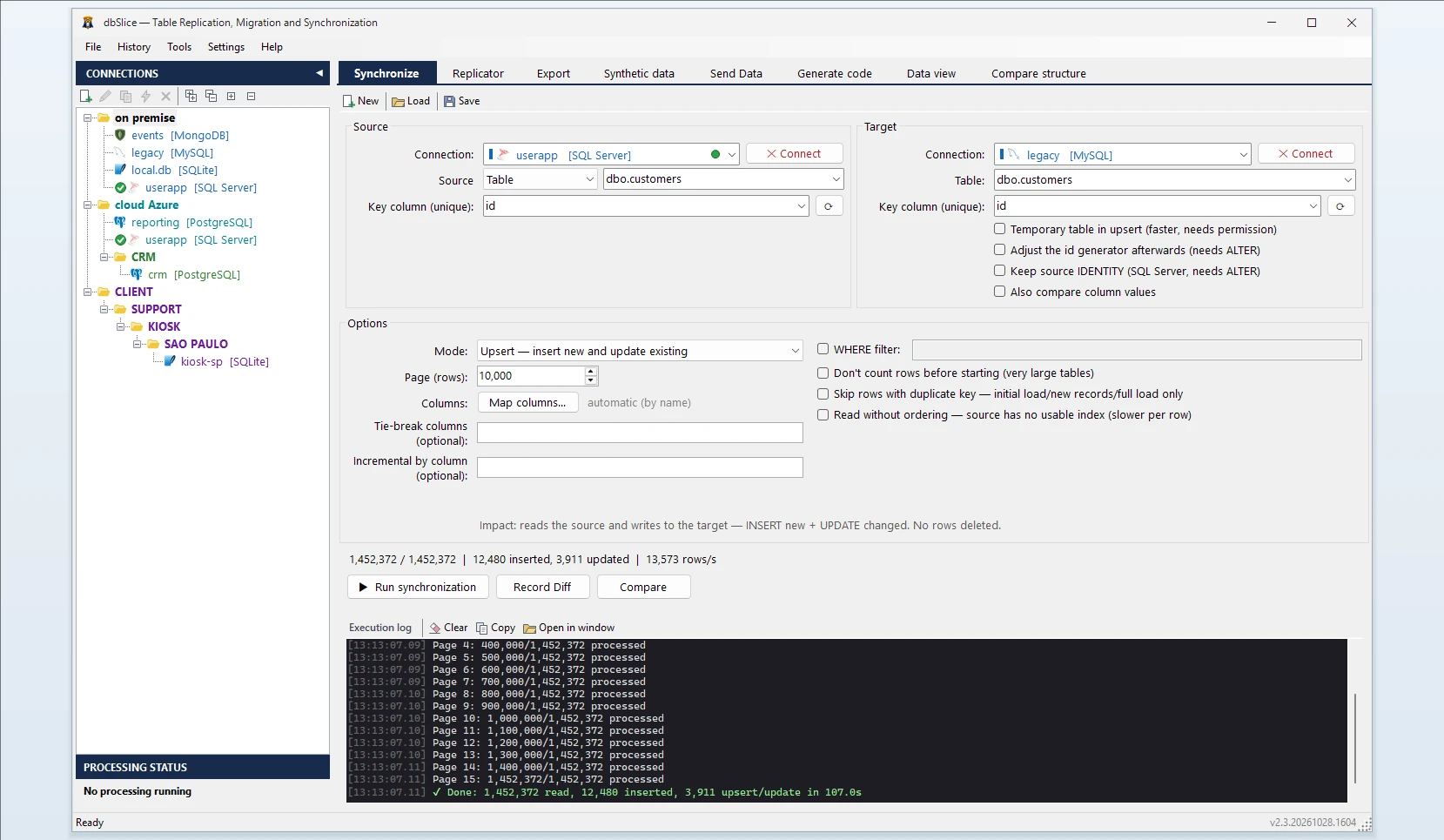
dbSlice Synchronize tab

What it looks like in practice

  1. ERP replacement: the legacy ERP stays live while customers and products are kept in sync into the new one, every night, until cutover.
  2. CRM that knows right away: a customer created in the ERP is synced and, in the same run, the CRM's API receives it.
  3. A table into Kafka: rows published to a topic without writing a producer and without touching the source database. See database to Kafka.
  4. Reporting in the cloud: production stays on-premises; a reporting copy in your cloud is refreshed incrementally.
  5. Safe test data: production copied to staging with personal data masked on the way. See masked staging copy.

Where it runs

On Windows (desktop or server) and as a Linux edition in Docker, on your servers or in your cloud account. It is not a hosted service: your data goes from your systems to your systems.

What it is not

  • Not real time and not change data capture: jobs run at the interval you choose.
  • Not two-way sync with conflict resolution: each job has one source and one target.
  • No built-in SAP or Salesforce connector: dbSlice talks to them through their APIs or your message queue.
  • Not an integration platform with hundreds of connectors: it is a data tool focused on databases that also speaks to APIs and queues.

Try it on your own data: the free Microsoft Store version needs no license key.

Try free on the Microsoft Store ↗Linux edition: contact salesSee pricing

Related guides

  • Tell your apps about every row you write
  • Send database rows to Kafka or a REST API, without writing a producer
  • Test data that looks like production, without your customers in it
dbSlice®

Professional data synchronization, migration and reconciliation — for Windows and Linux (Docker).

A Thinwork product

Product

Product Pricing Guides Linux (Docker) Release notes Free version (Microsoft Store) Support FAQ Renew maintenance CLI examples

Legal

Terms of Use Privacy Policy Refund Policy EULA

Company

THINWORK TECNOLOGIA DA INFORMACAO - LTDA
CNPJ 09.166.605/0001-21
Since 2007

Av. Paulista, 1471, Conj. 511, Anexo CP 1722
Bela Vista, São Paulo - SP, 01311-927, Brazil

Sales

+55 (11) 5197-7969 [email protected]

Support hours: Mon–Fri, 9:00–17:00 (UTC−3)

github.com/thinwork Follow @dbsliceapp
© 2026 dbSlice®. All rights reserved. Windows x64 · GUI + CLI · Linux (Docker) · Web

dbSlice® and the dbSlice pizza mascot logo are registered trademarks of Thinwork Tecnologia da Informação Ltda. with the Brazilian National Institute of Industrial Property (INPI).

All other product names, logos and brands are the property of their respective owners and appear here only to identify the systems dbSlice works with. dbSlice is an independent product, not affiliated with, sponsored or endorsed by them. Learn more