
Why copies of production are a risk
Every copy of production in a test environment is another place where customer data can leak. Test systems usually have wider access and lighter controls than production.
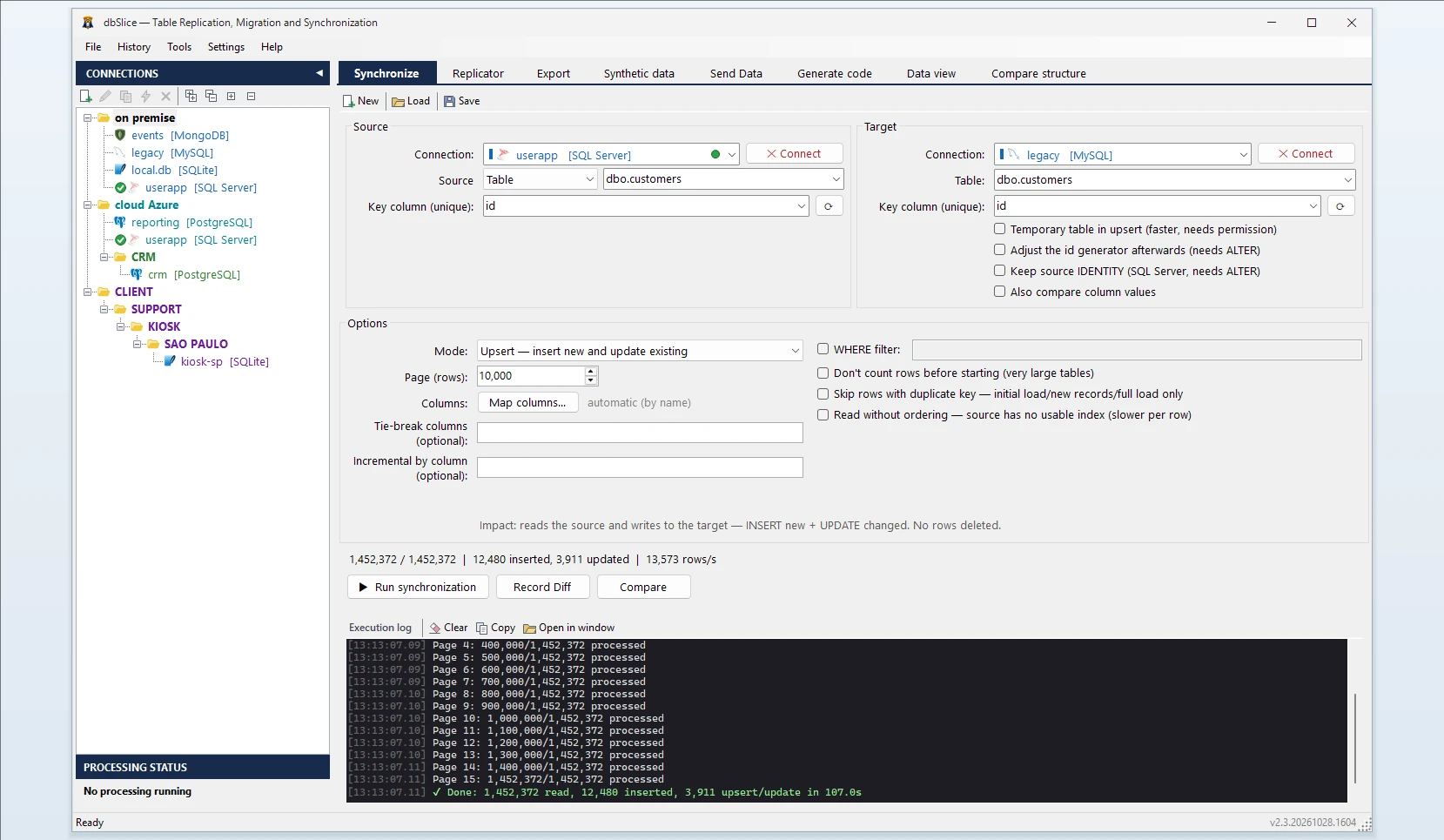
Masked in flight, not after the copy
dbSlice reads the source, applies your masking rules to each row, and only then writes to the target. There is no unmasked intermediate copy to clean up later. It works between different engines — for example, from a SQL Server production database to a PostgreSQL test database.
Keys stay intact, so the application still works
A masked copy is only useful if the application can run on it. dbSlice never masks primary keys, foreign keys or the key column of the operation. Orders still point to their customers, invoices to their orders, and joins return the same rows as in production.
By default every other column is masked by type. You then choose, per column, what to keep and how to mask the rest.
Masking options, per column
| Option | Example | Use it for |
|---|---|---|
| Mask by type (default) | Johnson → Jo****; numbers → 0; dates → 1900-01-01 | Anything you did not review yet |
| Keep the original | unchanged | Non-sensitive columns (status, product code) |
| Empty | NULL | Columns the test never reads |
| Keep the first characters | keep:4,* → 5511******** | Phone prefixes, partial references |
| Fixed value | fixed:Test customer | Free-text notes |
| Template with the row key | template:user{key}@example.com | Unique, readable e-mails or logins |
| Hash | hash: → same input, same 16-char code | Columns used to group or join that are not foreign keys |
| Hash with a secret | hash:your-secret (HMAC-SHA256) | Same, without a code anyone can recompute |
| Hide digits | 123.456.789-09 → ***.***.***-** | Document numbers that must keep their format |
[email protected] → ma****@company.com | Keep the domain for routing tests |
A sample row shows the result of every rule before you run anything. Plain hash: without a secret can be recomputed by anyone who has a list of likely values (document numbers, for example); use hash:secret for those.
Consistent, and hard to reverse
The hash treatment always turns the same value into the same code, so a masked e-mail or document number still matches across tables. Add a secret and dbSlice uses HMAC-SHA256: without the secret, nobody can rebuild a tax ID or a phone number by trying every possible value.
One job per table, run in order — refresh every night
Masking is set per table: build a sync job for each table that holds personal data, with its masking map, and save it. Run the jobs parents first, children after, from the CLI or Windows Task Scheduler, every night or before each test cycle. The map is saved with the job, so the same rules apply every time. The same map also works when you export to a file (CSV, JSON, SQL, Excel and more) instead of copying to a database.
Tables with nothing sensitive (product catalog, statuses, lookups) can go through the Replicator, which copies a list of tables in one run, parents before children. For a full refresh it empties the staging tables in foreign-key order and refuses before deleting anything if the list is incomplete. The Replicator copies values as they are: it does not apply masking, so keep tables with personal data out of it.
Choose the slice with a WHERE filter on each table (last 90 days, one region, one tenant). Filters are per table: make sure the child tables are filtered consistently with their parents, or the foreign keys in staging will point to rows you did not copy.
Need data that never existed?
When even masked production data is too much, the synthetic data generator creates fake rows that follow the table's types and foreign keys: names, e-mails, cities, phone numbers, dates in a range, values from a list. See Synthetic test data.
Across engines
Production on SQL Server and staging on PostgreSQL? Production on Oracle and a local SQLite for a developer laptop? The masked copy works between any pair of SQL Server, PostgreSQL, Oracle, MySQL, MariaDB, Firebird, SQLite and InterSystems Caché/IRIS.
Your responsibility, stated plainly
dbSlice applies the rules you set. It does not decide on its own which columns are personal data, and using it does not make a process compliant by itself. Masking reduces what leaves production; your security and privacy team keeps the decision about which columns are personal data under your laws and contracts. Review the masking map with whoever is responsible for data protection in your company, and keep the job definitions where they can be audited. dbSlice does not send your data anywhere: it runs on your Windows machine and connects directly to your databases.
Copying with masking writes to the target, so it needs a Desktop or Server license. Start with the free version · Pricing