
What the report tells you
The report sorts its findings into three groups:
- Blockers: a column that has no equivalent on the target and needs a decision before the load.
- Needs attention: the column migrates, but something changes: precision, behavior or a rule you must recreate.
- Columns without remarks: the column migrates as is, with the suggested target type.
For each finding you get the table, the column, the source type, the suggested target type and what to do.
What it checks, SQL Server → PostgreSQL
sql_variant: no equivalent; split by type or convert first (blocker).geography,geometry,hierarchyid: no native equivalent; spatial needs PostGIS, hierarchyid needs ltree or a redesign (blocker).datetime2with 7 digits: PostgreSQL keeps microseconds, so the 7th digit is cut.moneybecomesNUMERIC(19,4);tinyintbecomesSMALLINT.rowversion: generated by SQL Server, so the value does not migrate.datetimeoffset:timestamptzkeeps the instant in UTC, not the original offset.xml,text,ntext,imageand(max)columns, with the limits on each side.- Text comparison: SQL Server usually ignores case and PostgreSQL does not, so WHERE, JOIN and unique keys on text may behave differently.
What it checks, PostgreSQL → SQL Server
- Arrays: SQL Server has no array type (blocker).
NUMERICwith more than 38 digits (blocker), andNUMERICwithout precision, which becomesDECIMAL(38,10).json/jsonb,interval,inet/cidr/macaddr, enums and domains,timestamptz.- Case: values that differ only by case may collide in unique keys on SQL Server.
Checked on every pair
These rules apply to every database dbSlice reads, not just SQL Server and PostgreSQL:
- Tables without a primary key.
- Auto-increment columns, and the next value after the load.
- Names that need quotes on the target.
- Types without a known equivalent.
Detailed type rules exist only for SQL Server ⇄ PostgreSQL today.
How to run it
- Install the free version from the Microsoft Store and add two connections: the database you have and one of the type you are moving to.
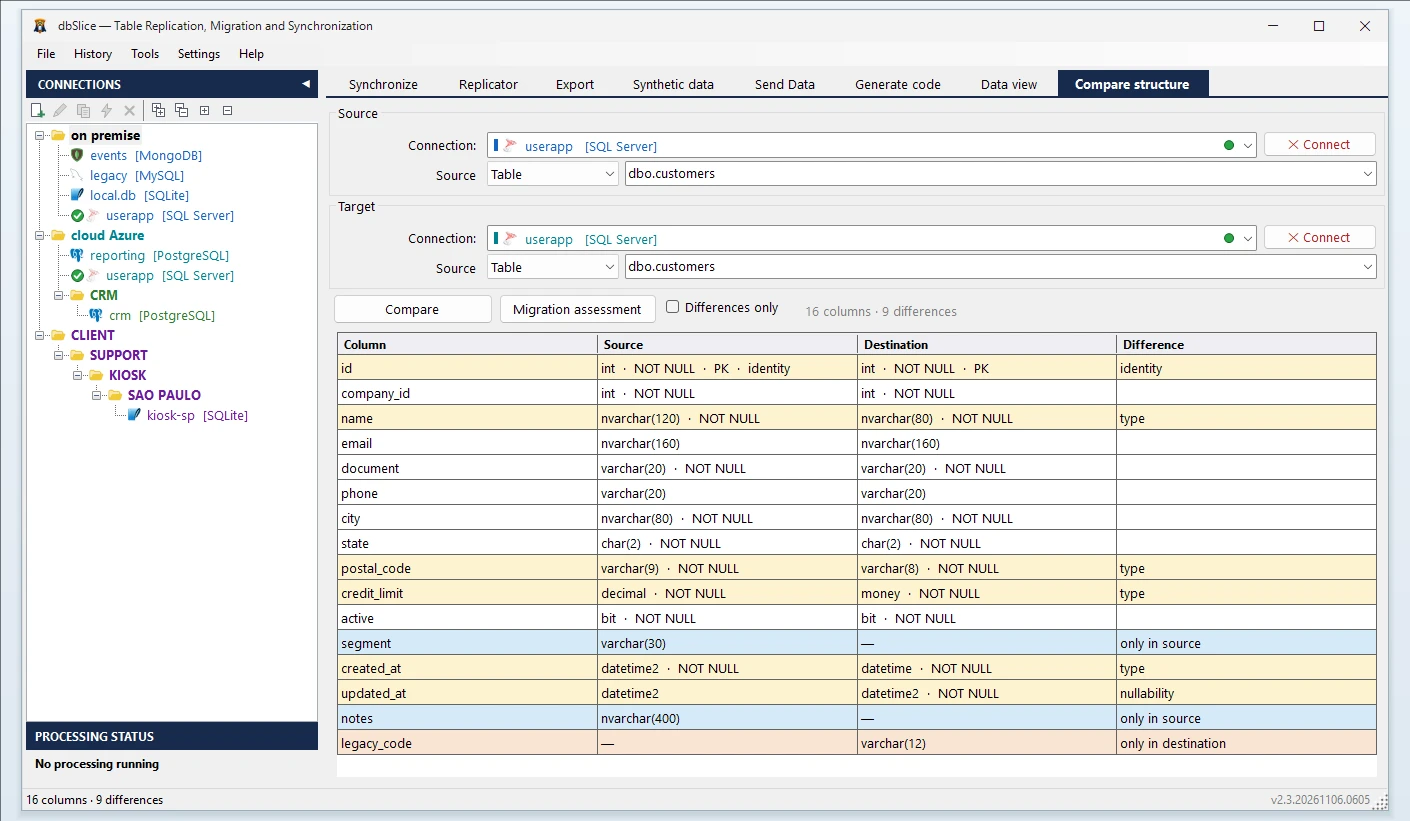
- Open Compare structure and pick the source and the target connection.
- Click Migration assessment and choose where to save the HTML report. It opens in your browser when it is done.
The report reads only the schema of the source. It does not create or change anything in either database.
From assessment to migration
The assessment is free. Moving the data is not: the migration itself (Initial load, Upsert, New rows only, Compare key by key afterwards) needs a dbSlice license. See pricing.
Planning a system replacement and need help designing the coexistence? Thinwork can run the project with you. See how migrations and syncs have run in production in the customer stories.
FAQ
Is the migration assessment really free?
Yes. It runs in the free version on the Microsoft Store, with no license. Migrating, syncing and replicating data need a license.
Does it change my database?
No. It is read-only: it reads the schema of the source and writes an HTML file on your computer.
Which databases does it cover?
Detailed type rules for SQL Server to PostgreSQL and PostgreSQL to SQL Server. For the other pairs (Oracle, MySQL, MariaDB, Firebird, SQLite, InterSystems Caché/IRIS and more), it applies the general rules: primary keys, auto-increment, names and unknown types.