
Migrating to SQL Server from MySQL: what changes in the target
If the SQL Server table does not exist, dbSlice stops and shows a CREATE TABLE translated for SQL Server, for your DBA to review and run. By default it creates nothing in your databases. These are the MySQL details to plan for:
JSONcolumns. MySQL stores JSON in its own binary type. In SQL Server it arrives as text inNVARCHAR(MAX); read it withJSON_VALUEandOPENJSON, and add anISJSONcheck constraint if you want it validated.BIT(n)bit fields.BIT(1)maps to SQL ServerBIT. A widerBIT(8)orBIT(64)is a bit field, not a flag. Convert it in a SELECT (CAST(flags AS UNSIGNED)) and store it as an integer.TIMESTAMPvsDATETIME. MySQLTIMESTAMPvalues are stored in UTC and shown in the session's time zone, so they arrive in that zone. Both types becomeDATETIME2. Set the connection time zone you want before the first load, and keep it the same on every run.- Unsigned integers. SQL Server has no unsigned types, and the suggested DDL does not mark them. Widen them before running it:
INT UNSIGNED→BIGINT,BIGINT UNSIGNED→DECIMAL(20,0). - Zero dates. Older MySQL data can hold
0000-00-00, which SQL Server rejects. Turn them intoNULLin a SELECT:NULLIF(created_at, '0000-00-00 00:00:00'). - Collation and emoji. MySQL 8 tables usually use
utf8mb4with a case- and accent-insensitive collation. Text becomesNVARCHAR, which keeps emoji and every Unicode character. Pick a SQL Server collation with the same case and accent behavior, or unique keys that differ only by accent will clash. ENUM,SETandYEAR. They are suggested asNVARCHAR(MAX). Give them a length, and add aCHECKconstraint for the allowed values;YEARis better asSMALLINT.AUTO_INCREMENTids. SQL Server only takes explicit ids with Keep identity, which needs ALTER permission and is confirmed on screen. Without it, new ids are generated, so do not use the id as the sync key.- Upsert runs as
MERGEand bulk loads useSqlBulkCopywith triggers and constraints checked.
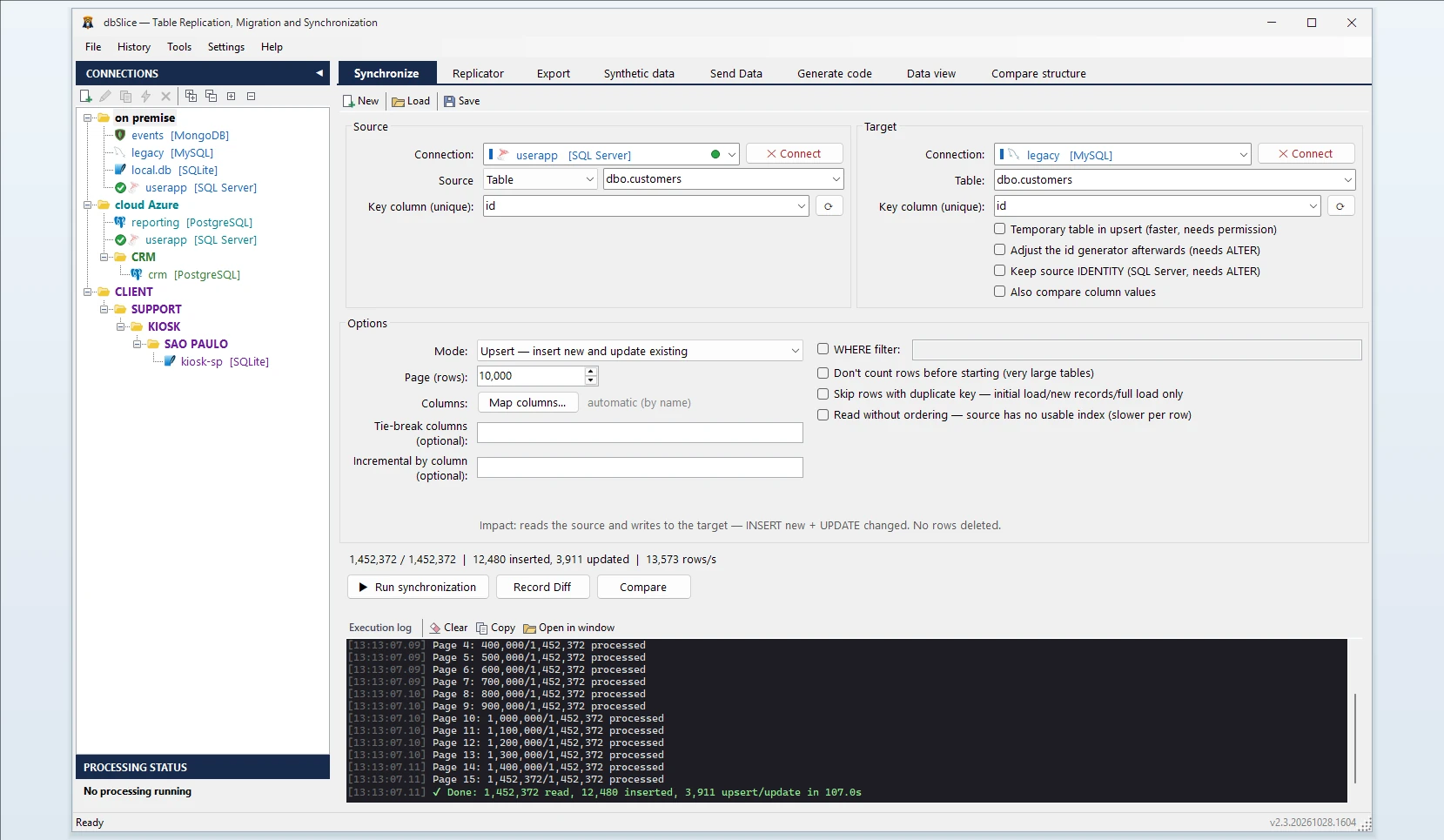
How dbSlice controls the load
- Reads MySQL in small batches, so the live database keeps serving its users.
- Matches rows by a key you choose. Modes: Initial load, then Upsert, Insert new, Update only or incremental by column (
updated_ator theAUTO_INCREMENTid). - Checks before writing with Record Diff and on-screen checks, and proves the result with Compare and the full list of divergent keys.
- Masks on the way for development and test copies, keeping keys and foreign keys intact.
- Export instead of load: when you only need a file, the same app exports a MySQL table to CSV, JSON, XML or HTML.
Step by step: convert a table from MySQL to SQL Server
- Connect to MySQL and to SQL Server.
- Pick the source table (or a SELECT, as in the zero-date and
BIT(n)examples) and the target table. - Choose the key column, and turn on Keep identity if the ids must stay the same.
- Choose the mode: Initial load, then Upsert or Insert new.
- Run Record Diff, then the copy, or save it as a job for the CLI and the Windows Task Scheduler.
Moving data between MySQL and SQL Server in both directions
The same app moves data the other way: see SQL Server to MySQL. On MariaDB, see MariaDB to SQL Server. For PostgreSQL, see MySQL to PostgreSQL.
FAQ
Does dbSlice convert stored procedures, triggers or views?
No. It moves data; MySQL routines have to be rewritten in T-SQL.
Do I need binlog or replication enabled on MySQL?
No. dbSlice reads the tables with ordinary queries.
Are deletes copied by incremental runs?
No. Run Compare or a reload before the switch.
Is there a free version?
Yes, on the Microsoft Store: it connects, browses, compares and exports to CSV. Writing to a target needs a Desktop or Server license.