
Migrating to SQL Server from Oracle: what changes in the target
If the SQL Server table does not exist, dbSlice stops and shows a CREATE TABLE translated for SQL Server, for your DBA to review and run. By default it creates nothing in your databases. These are the Oracle details to plan for:
DATEhas a time. An OracleDATEkeeps the date and the time to the second, so it is suggested asDATETIME2, notDATE. Change it toDATEonly for columns that never store a time.NUMBERwithout precision. It is suggested asDECIMAL(38,10). Check the real values and set the precision and scale before running theCREATE TABLE. A declaredNUMBER(p,s)keeps its precision and scale. Precision is capped at 38, which is also the Oracle limit.- Integer keys and flags. Oracle has no separate integer type, so
NUMBER(10)becomesDECIMAL(10,0). Change it toINTorBIGINTin the DDL where you prefer. ANUMBER(1)orCHAR(1)flag ('Y'/'N') can becomeBITthrough a SELECT on the source, for exampleCASE active WHEN 'Y' THEN 1 ELSE 0 END AS active. RAW(16)ids fromSYS_GUID(). They arrive as binary and are suggested asVARBINARY(MAX). DeclareBINARY(16)so the column can be a key. Converting them toUNIQUEIDENTIFIERchanges the byte order, so test it on a few rows first.- Empty strings. Oracle stores
''asNULL, so there are no empty strings to copy. A SQL Server column declaredNOT NULLrejects those rows. Leave it nullable or fill a default in a SELECT, such asNVL(middle_name, ' '). VARCHAR2,CLOBandLONG. Text becomesNVARCHAR(n)up to 4,000 characters, andNVARCHAR(MAX)above that.CLOB,NCLOBand the oldLONGtype also becomeNVARCHAR(MAX).NVARCHARkeeps every character of anAL32UTF8database.TIMESTAMP WITH TIME ZONE. It is suggested asDATETIME2, and the offset is not carried over. If the zone matters, normalize it on the source with a SELECT such asSYS_EXTRACT_UTC(created_at) AS created_at, and store the value inDATETIME2as UTC.XMLTYPE,INTERVAL,ROWIDand spatial types. They have no direct equivalent and are suggested asNVARCHAR(MAX). Convert them in a SELECT on the source, for exampleXMLSERIALIZE(CONTENT doc AS CLOB), or leave them out.- Upper-case names. Oracle stores unquoted names in upper case. Choose the SQL Server table and column names in the
CREATE TABLE; dbSlice maps columns by name, so keep them matching. - Sequences instead of identity. Oracle ids usually come from a sequence or a trigger. If the SQL Server key is an
IDENTITYcolumn, turn on Keep identity, which needs ALTER permission on the table and is confirmed on screen first. Without it, SQL Server generates new ids, so do not use the id as the sync key. A plainBIGINTkey needs neither. - Upsert runs as
MERGEand bulk loads useSqlBulkCopywith triggers and constraints checked.
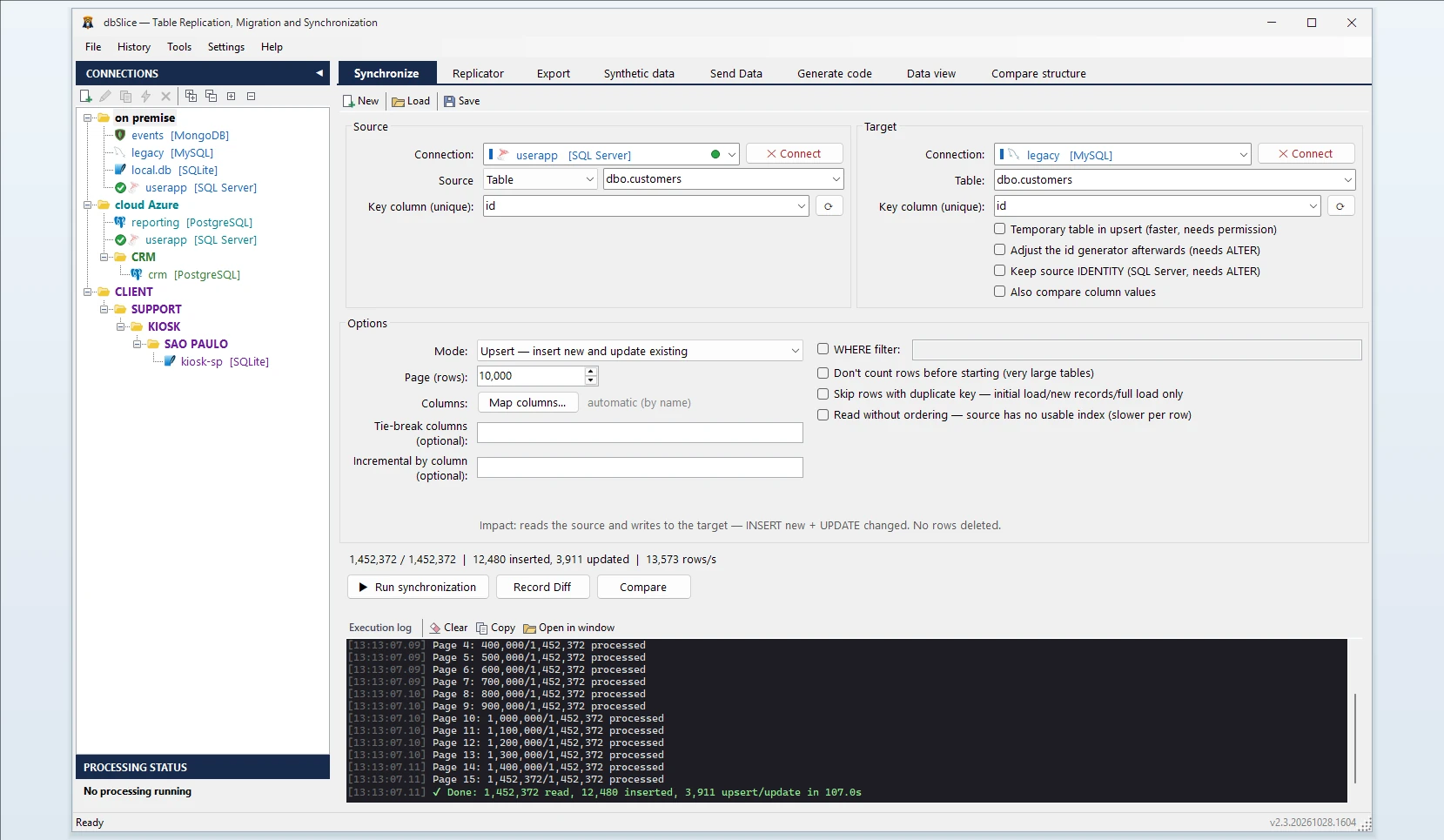
How dbSlice controls the load
- Reads Oracle in small batches, ordered by the key, so the live database keeps serving its users.
- Matches rows by a key you choose. Modes: Initial load, then Upsert, Insert new, Update only or incremental by column. An incremental run by a
DATEcolumn filters withTO_DATE, so Oracle keeps using the index on that column. - Checks before writing with Record Diff and on-screen checks, and proves the result with Compare and the full list of divergent keys.
- Masks on the way for development and test copies, keeping keys and foreign keys intact.
- Export instead of load: when you only need a file, the same app exports an Oracle table to CSV, JSON, XML or HTML.
Step by step: convert a table from Oracle to SQL Server
- Connect to Oracle with the user that owns the tables, and to SQL Server. dbSlice lists the tables of the connected user; for tables owned by another schema, connect as that owner or expose them through a view in your own schema.
- Pick the source table (or a SELECT, as in the flag and
XMLTYPEexamples) and the target table. - Choose the key column, and turn on Keep identity if the target key is an
IDENTITYcolumn and the ids must stay the same. - Choose the mode: Initial load, then Upsert or Insert new.
- Run Record Diff, then the copy, or save it as a job for the CLI and the Windows Task Scheduler.
Moving data between Oracle and SQL Server
dbSlice copies Oracle data into SQL Server tables. Microsoft SSMA converts the schema and the PL/SQL code; see how the two fit in SSMA alternative. For Oracle to PostgreSQL, see Oracle to PostgreSQL and the nightly routine in Sync Oracle to PostgreSQL. From Firebird? See Firebird to SQL Server.
FAQ
Does dbSlice convert PL/SQL packages, triggers or views?
No. It moves data; PL/SQL code has to be rewritten in T-SQL, by hand or with SSMA.
Do I need GoldenGate, LogMiner or supplemental logging on Oracle?
No. dbSlice reads the tables with ordinary queries.
Which Oracle versions?
Oracle 12c or later, because paging uses FETCH FIRST.
Are deletes copied by incremental runs?
No. Run Compare or a reload before the switch.
Is there a free version?
Yes, on the Microsoft Store: it connects, browses, compares and exports to CSV. Writing to a target needs a Desktop or Server license.