
Migrating to SQL Server from Caché and IRIS: what changes in the target
If the SQL Server table does not exist, dbSlice stops and shows a CREATE TABLE translated for SQL Server, for your DBA to review and run. By default it creates nothing in your databases. These are the InterSystems details to plan for:
- No ODBC driver to install. dbSlice has a connector for IRIS and one for legacy Caché, and it reads the class dictionary on older Caché versions.
- Same table name in several schemas. InterSystems systems often repeat a table name across packages. Pick the schema of the table you want; dbSlice lists the columns of that schema.
VARCHARlengths. A Caché%Stringis often declared with a short length, such as the default of 50, and it arrives asNVARCHAR(50). Caché does not enforce the declared length for data written by ObjectScript, so some values can be longer, and SQL Server rejects them with "String or binary data would be truncated". Check the longest values and widen the columns before running theCREATE TABLE.- Stream properties. Character streams (
LONGVARCHAR) becomeNVARCHAR(MAX)and binary streams (LONGVARBINARY) becomeVARBINARY(MAX). - Dates stored as numbers. Legacy classes sometimes keep dates as integers (
20261102or a Unix time). When the SQL Server column isDATEorDATETIME2, dbSlice converts them on the way. NUMERIC(p,s)keeps its precision and scale inDECIMAL, up to the SQL Server limit of 38 digits.- Ids. InterSystems row ids (
%ID, andparent||childids of child tables) are often not exposed as ordinary columns. Use the table's own key. If the SQL Server key is anIDENTITYcolumn, turn on Keep identity, which needs ALTER permission and is confirmed on screen first. - Upsert runs as
MERGEand bulk loads useSqlBulkCopywith triggers and constraints checked.
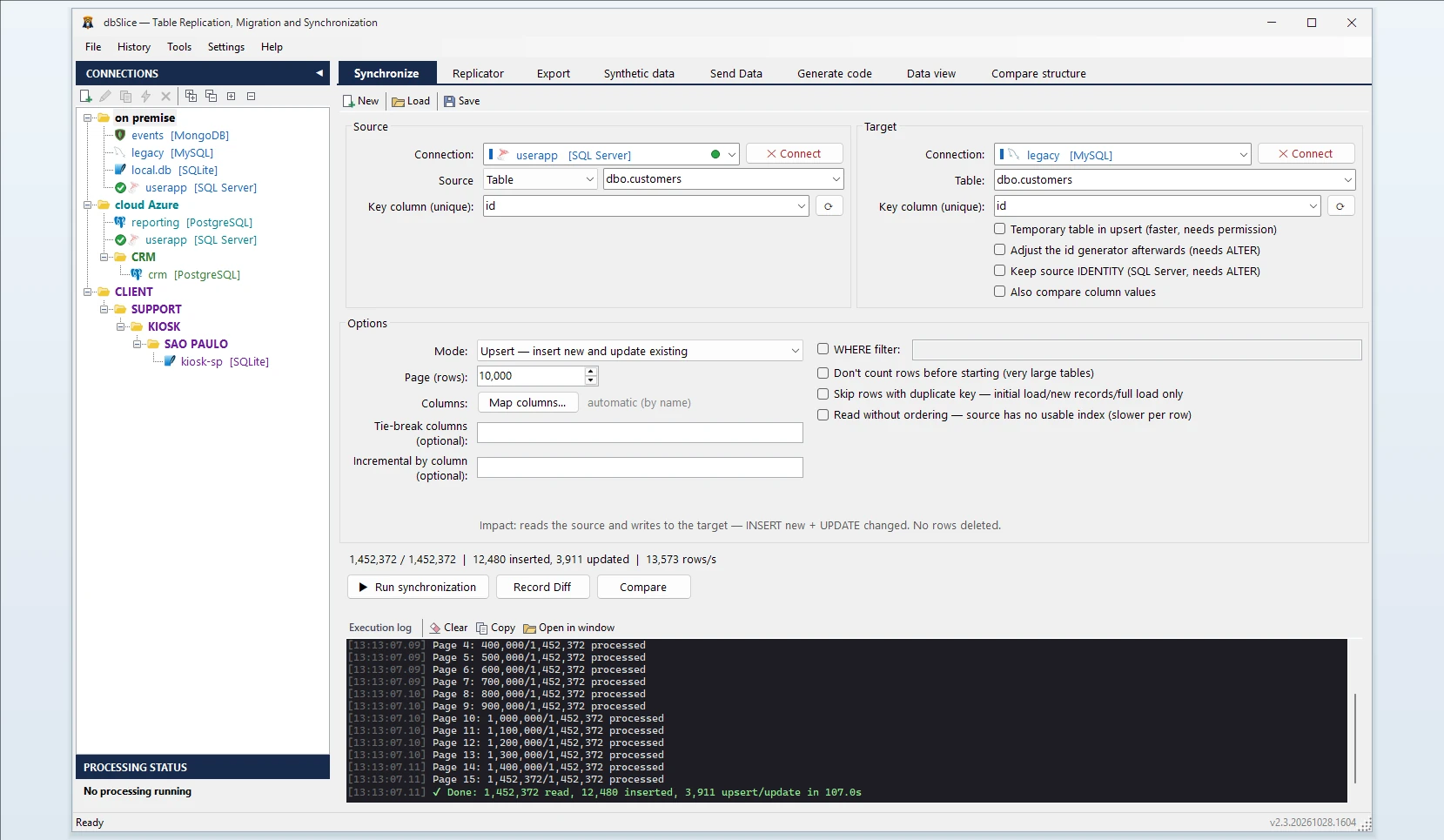
How dbSlice controls the load from Caché and IRIS
- Reads in small batches, ordered by the key, so the old system keeps serving its users.
- Tables whose key has several columns: add the extra columns in Tie-break columns. dbSlice then pages by the full key instead of the first column alone. A run with tie-break columns cannot resume from the middle.
- Tables with no usable index: turn on Read without ordering. dbSlice opens one cursor without
ORDER BYand splits it into batches itself, instead of asking the server to sort the table for every batch. That run cannot resume from the middle either. - Very large tables: turn on Don't count rows before starting to skip the
COUNT(*)before the copy. - Checks before writing with Record Diff and on-screen checks, and proves the result with Compare and the full list of divergent keys.
- Masks on the way for development and test copies, keeping keys and foreign keys intact.
- Export instead of load: when you only need a file, the same app exports a Caché or IRIS table to CSV, JSON, XML or HTML.
Step by step: convert a table from Caché or IRIS to SQL Server
- Connect to Caché or IRIS (server, port, namespace, user) and to SQL Server.
- Pick the schema and the source table (or a SELECT), and the target table.
- Choose the key column. If the key has several columns, add the others in Tie-break columns. If the table has no usable index, tick Read without ordering.
- Choose the mode: Initial load, then Upsert or Insert new.
- Run Record Diff, then the copy, or save it as a job for the CLI and the Windows Task Scheduler.
Moving data between Caché, IRIS and SQL Server in both directions
dbSlice also writes into IRIS and Caché, so the same screen loads SQL Server data into IRIS. For PostgreSQL as the target, see Caché and IRIS to PostgreSQL.
FAQ
Does dbSlice convert ObjectScript classes, routines or triggers?
No. It moves data; the code has to be rewritten in T-SQL or in the new application.
Can it read data that lives only in globals?
No. dbSlice reads through InterSystems SQL. Map the globals to a class first.
Which versions?
InterSystems IRIS, and legacy Caché, including servers without INFORMATION_SCHEMA.
Are deletes copied by incremental runs?
No. Run Compare or a reload before the switch.
Is there a free version?
Yes, on the Microsoft Store: it connects, browses, compares and exports to CSV. Writing to a target needs a Desktop or Server license.