
Migrating to MariaDB from SQL Server: what changes in the target
If the MariaDB table does not exist, dbSlice stops and shows a CREATE TABLE translated for MariaDB, for your DBA to review and run. By default it creates nothing in your databases. These are the MariaDB details to look at:
bitbecomesTINYINT(1). MariaDB has no separate boolean type;BOOLEANis an alias forTINYINT(1), so flags arrive as 1 and 0.- Dates lose the 7th digit. SQL Server
datetime2keeps 100-nanosecond precision; MariaDBDATETIME(6)keeps microseconds.datetimeoffsetis suggested asDATETIME(6)too, without the offset: store UTC, or add a column for the zone if the application needs it. uniqueidentifierbecomesCHAR(36), the GUID as text. On MariaDB 10.7 or later you can declare the nativeUUIDtype in theCREATE TABLEinstead.nvarcharbecomesVARCHARorLONGTEXT. Use autf8mb4character set so every Unicode character fits. MariaDB limits a row to 65,535 bytes, so a table with many wideVARCHARcolumns may need some of them asTEXT.rowversionbecomesLONGBLOB. It is a SQL Server change counter, not a date: leave it out of the copy unless the application reads it.IDENTITYids are kept asAUTO_INCREMENTvalues. MariaDB accepts the original ids and moves its counter past the highest one, so new rows continue from there.- Upsert needs a key in MariaDB. It runs as
INSERT … ON DUPLICATE KEY UPDATE, so the key column must be the primary key or have a unique index on the MariaDB table. - Bulk loading uses
LOAD DATA LOCAL INFILEwhen the connection allows it (AllowLoadLocalInfile=trueandlocal_infileon the server). dbSlice does not turn it on by itself; without it, rows go in batched INSERTs.
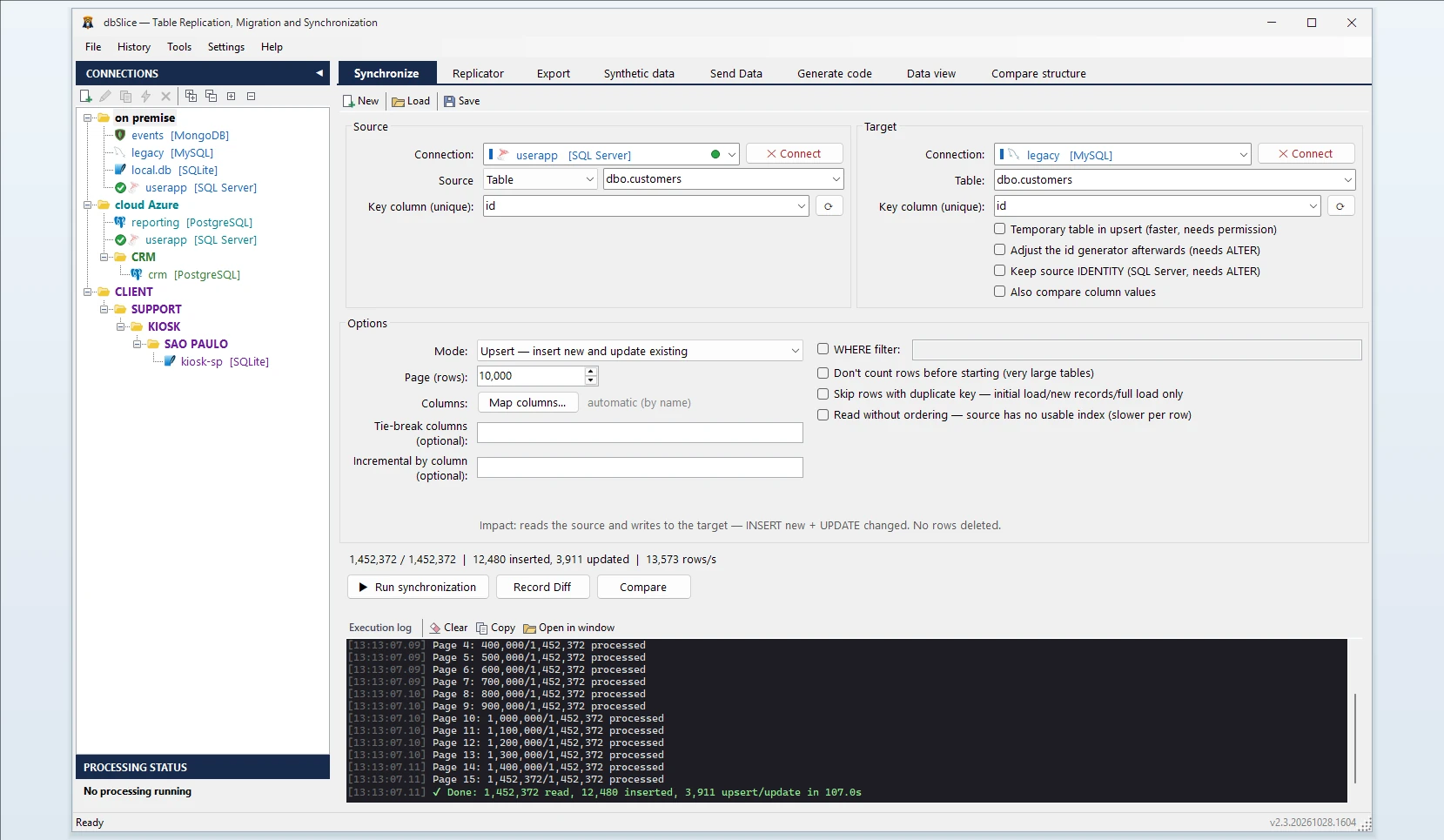
How dbSlice controls the load
- Reads SQL Server in small batches, so the live database keeps serving its users.
- Matches rows by a key you choose. Modes: Initial load the first time, then Upsert, Insert new, Update only or incremental by column (
updated_ator theIDENTITYid), which reads only the rows above the last value seen. - Checks before writing: Record Diff compares keys on both sides, and on-screen checks run before anything is written.
- Proves the result: Compare reads both tables key by key and saves the full list of divergent keys to a file.
- Masks on the way if the MariaDB copy is for development or test: sensitive columns are obfuscated in flight, with keys and foreign keys preserved.
- Export instead of load: when you only need a file, the same app exports a SQL Server table to CSV, JSON, XML or HTML.
Step by step: convert a table from SQL Server to MariaDB
- Connect to SQL Server and to MariaDB.
- Pick the source table (or a SELECT) and the target table.
- Choose the key column.
- Choose the mode: Initial load, then Upsert or Insert new.
- Run Record Diff, then run the copy, or save it as a job for the CLI and the Windows Task Scheduler. The Replicator copies a list of tables in one run, parents before children.
Moving data between SQL Server and MariaDB in both directions
The same app moves data the other way: see MariaDB to SQL Server. It also covers SQL Server to PostgreSQL and MySQL, Oracle, Firebird, SQLite and InterSystems IRIS.
FAQ
Does dbSlice convert stored procedures, triggers or views?
No. It moves data; T-SQL code has to be rewritten for MariaDB.
Do I need CDC or SQL Server Agent?
No. dbSlice reads the tables with ordinary queries and runs as a job from its own CLI or the Task Scheduler.
Are deletes copied by incremental runs?
No. Incremental runs read new and changed rows. Run Compare or a reload before the switch to catch deleted rows.
Is there a free version?
Yes, on the Microsoft Store: it connects, browses, compares and exports to CSV. Writing to a target needs a Desktop or Server license.