
dbSlice or pgloader?
pgloader is a free, open source loader that also reads SQL Server and converts the schema in one command. dbSlice is for teams that want a Windows GUI with a data preview, Upsert or incremental runs every night until cutover, a key-by-key compare before the switch, and masked copies for development and test. See the full pgloader alternative page.
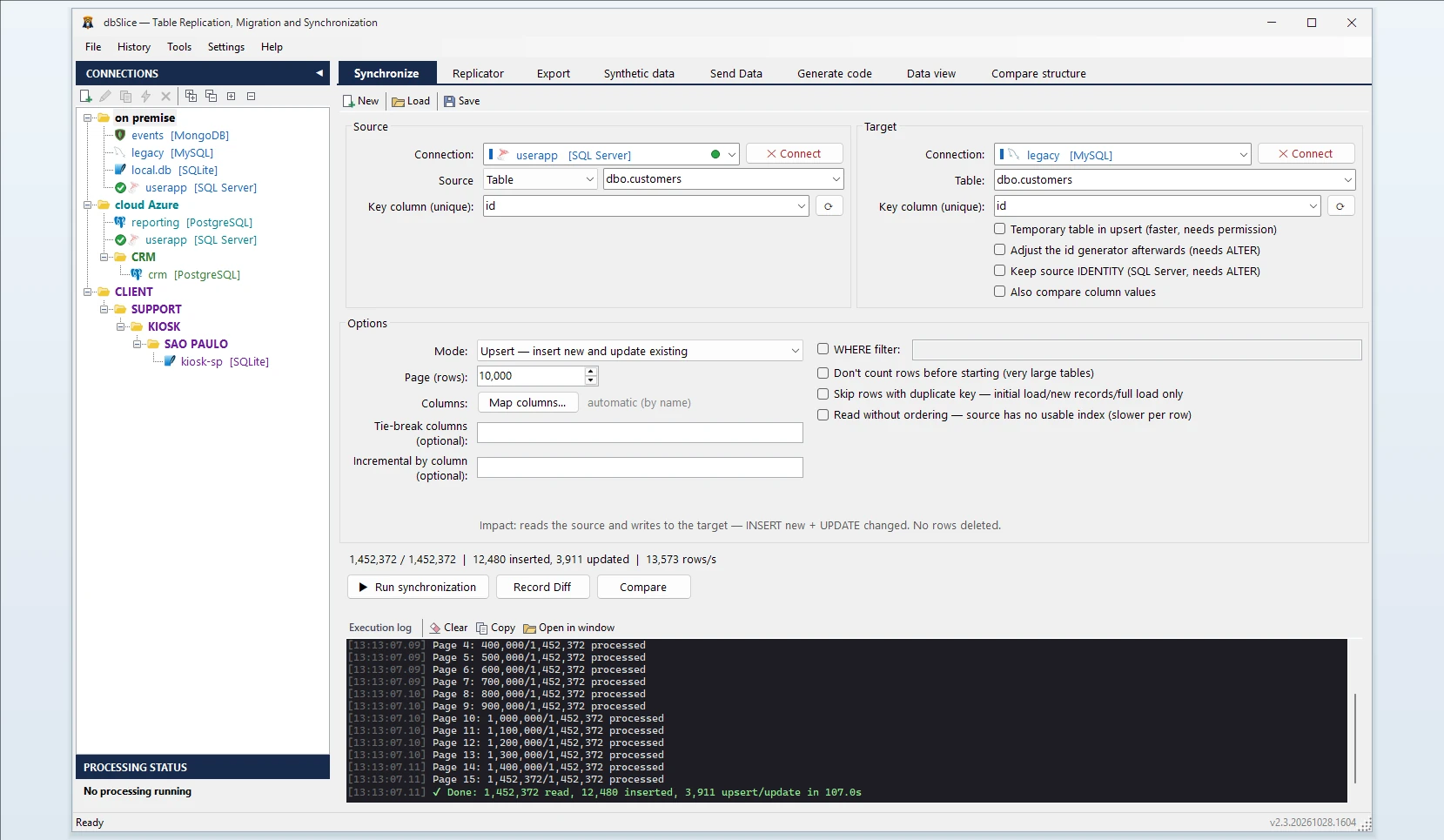
What dbSlice does
- Reads SQL Server in small batches, so the live database keeps serving its users.
- Writes to PostgreSQL in bulk with COPY for initial and full loads.
- Shows the target DDL. If the PostgreSQL table does not exist, dbSlice stops and shows a
CREATE TABLEtranslated from SQL Server for your DBA to review and run. By default it creates nothing in your databases. - Keeps ids safe. After rows are copied with their
IDENTITYvalues, dbSlice can move the PostgreSQL sequence past the highest id, or show the command for your DBA to run. - Export instead of load: when you only need a file, the same app exports a SQL Server table to CSV, JSON, XML or HTML.
Migrating to PostgreSQL from SQL Server: five details to plan for
1. datetimeoffset. It is suggested as TIMESTAMP, and values are written in UTC. If the application needs the time zone, declare the column TIMESTAMPTZ in the CREATE TABLE.
2. bit. It becomes BOOLEAN, so 1 and 0 arrive as true and false. Queries that compare with = 1 must change.
3. nvarchar(max), ntext and xml. They are suggested as TEXT. PostgreSQL text is Unicode, so no N prefix is needed; declare XML yourself if you query it as XML.
4. rowversion / timestamp. It is binary in SQL Server and is suggested as BYTEA. It is not a date: leave it out of the copy unless the application reads it.
5. Case and collation. SQL Server usually compares text case-insensitively; PostgreSQL does not by default. Plan ILIKE, citext or a case-insensitive collation where the application relies on it.
Step by step: convert a table from SQL Server to PostgreSQL
- Connect to SQL Server and to PostgreSQL.
- Pick the source table (or a SELECT) and the target table.
- Choose the key column used to match rows.
- Choose the mode: Initial load the first time, then Upsert or Insert new.
- Check before writing: Record Diff compares keys on both sides; on-screen checks run before anything is written.
- Run it, or save it as a job and schedule it from the CLI. The Replicator copies a list of tables in one run, parents before children.
Keep both in sync until cutover
Schedule an Upsert job every night. With a column that only grows (updated_at or the IDENTITY id), each run reads only the rows above the last value it saw. Deletes are not detected by incremental runs, so compare or reload before the switch. More on the nightly routine: Sync SQL Server to PostgreSQL.
Masked copies for development
The same job can obfuscate e-mails, IDs and other sensitive columns on the way, keeping keys and foreign keys intact, so a PostgreSQL test database gets realistic data without the real values.
Moving data between SQL Server and PostgreSQL in both directions
The same app moves data the other way, from PostgreSQL to SQL Server. It also covers SQL Server to MySQL, MariaDB, Oracle, Firebird, SQLite or InterSystems IRIS. See also MySQL to PostgreSQL and Oracle to PostgreSQL.
FAQ
Does dbSlice convert stored procedures, triggers or views?
No. It moves data; T-SQL code has to be rewritten for PostgreSQL.
Do I need CDC or SQL Server Agent?
No. dbSlice reads the tables with ordinary queries and runs as a job from its own CLI or the Windows Task Scheduler.
Can I check that nothing is missing before the switch?
Yes. Compare reads both sides key by key and saves the full list of divergent keys to a file.
Is there a free version?
Yes, on the Microsoft Store: it connects, browses, compares and exports to CSV. Writing to a target needs a Desktop or Server license.