
When this is the right tool
- A PostgreSQL copy for reports or a new application that must follow an Oracle system of record.
- An Oracle to PostgreSQL migration with a long cutover: Oracle stays in production for weeks and PostgreSQL has to catch up every night until the switch.
- Moving off Oracle table by table, keeping the tables already moved up to date while the rest waits.
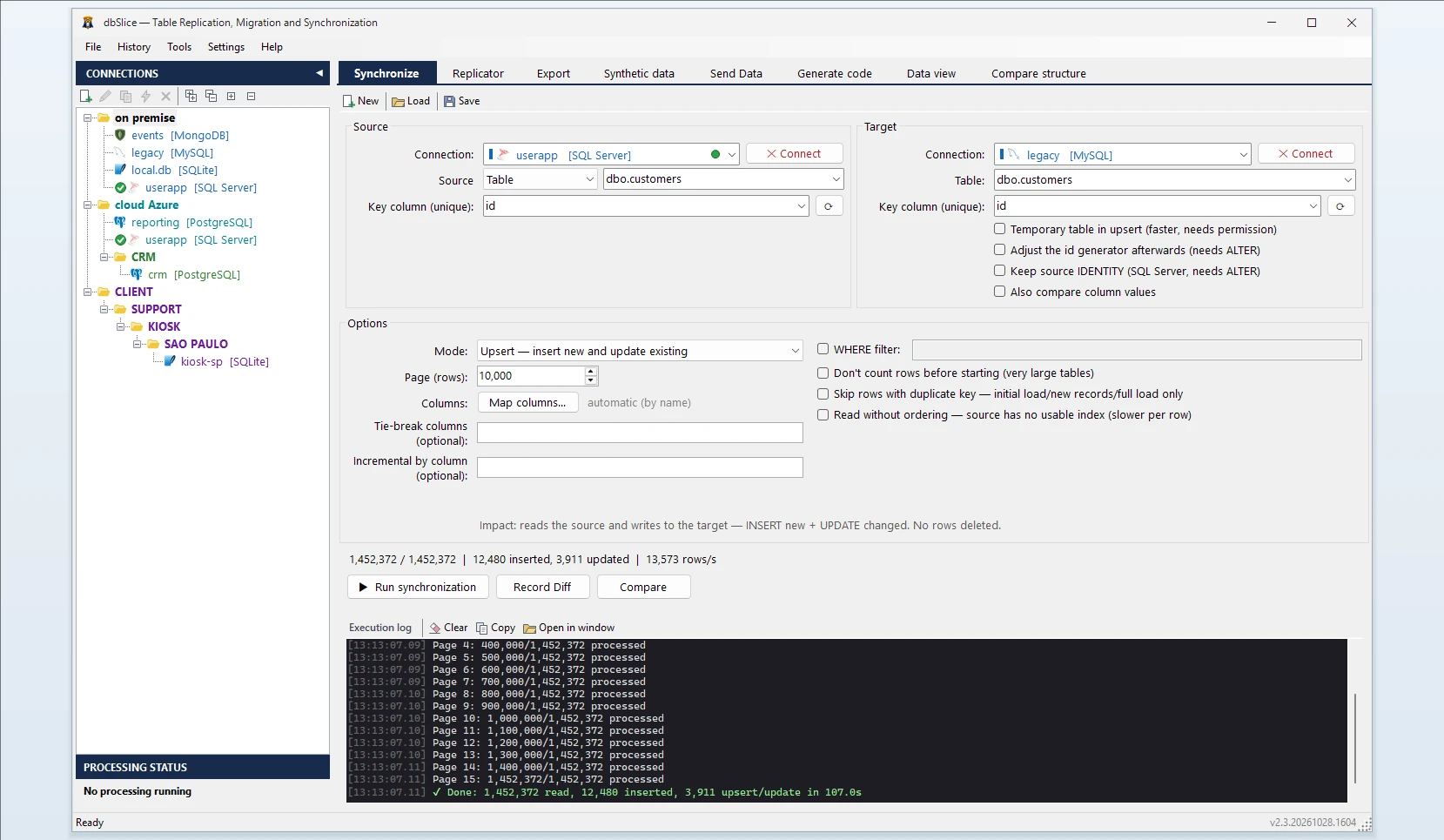
How a sync works
- Pick the source table or a SELECT in Oracle and the target table in PostgreSQL.
- Choose the key column used to match rows. dbSlice reads Oracle in small batches, so production keeps serving its users while the sync runs.
- Choose what the run does to the target:
Mode What it does Upsert Inserts new keys and updates the ones that changed Insert new Inserts only keys that are missing; existing rows are untouched Initial load Plain inserts into an empty table Update only Updates rows that already exist Full reload Empties the target table and loads it again - Optional: map columns with different names, add a WHERE filter, mask sensitive values in flight.
- Check before writing. Record Diff compares keys on both sides (how many, which are missing).
- Run it, or save it as a job and run it from the CLI or Windows Task Scheduler.
Incremental runs on Oracle
Point the job at a column that only grows: a LAST_UPDATED date or timestamp kept by the application, or an id filled by a sequence. Each run remembers the highest value it read, and the next one only reads rows above it. Combined with Upsert, a nightly refresh reads what changed instead of the whole table.
Two Oracle details:
DATEholds a time. An OracleDATEcolumn keeps hours, minutes and seconds, so it works as an incremental column as long as the application updates it on every change.- Deletes are not seen. An incremental run does not notice rows deleted in Oracle. Schedule a periodic full comparison (Record Diff) or a full reload.
Types, in one paragraph
If the PostgreSQL table does not exist yet, dbSlice stops before writing and shows a CREATE TABLE for your DBA: Oracle DATE as TIMESTAMP, NUMBER without precision as plain NUMERIC, VARCHAR2 as VARCHAR, CLOB as TEXT. The full table and the common errors are in the Oracle to PostgreSQL migration guide.
Your database stays yours
By default dbSlice only reads and writes rows. It does not create tables, triggers or temporary objects in your databases, and it installs nothing on the Oracle server. For Upsert and Insert new into PostgreSQL there is a faster write mode that needs a temporary table for the session; it is off by default and you turn it on only if your DBA allows temporary tables.
What dbSlice does not do
- It moves data, not code. PL/SQL packages, procedures and triggers are not converted.
- It is not real-time replication. Runs are batch jobs (on demand or scheduled). If you need sub-second change capture, look at log-based CDC tools.
FAQ
Do I need the Oracle Instant Client or a change on the Oracle server?
No. dbSlice connects with host, port, service name and user, and only reads.
How often can it run?
As often as you schedule the job: nightly is the usual choice during a migration. Each incremental run reads only the rows above the last value it saw.
What happens to rows deleted in Oracle?
Incremental runs do not see them. Use Record Diff or a full reload on a schedule, or before the switch.
Can I mask personal data on the way?
Yes. Sensitive fields can be masked in flight, with keys and foreign keys preserved.
Also works for
Oracle to SQL Server, MySQL, MariaDB, Firebird, SQLite or InterSystems IRIS, and PostgreSQL back into Oracle. For a one-time move, read the Oracle to PostgreSQL migration guide.