
Use dbSlice for the data, a converter for the code
An Oracle to PostgreSQL project has two halves:
- Code: PL/SQL packages, procedures, triggers and views have to become PL/pgSQL. Tools such as ora2pg or AWS Schema Conversion Tool handle that, and some of it is manual work. dbSlice does not convert code.
- Data: every row has to arrive with the right types, keys and counts, often more than once while the project runs. That is the part dbSlice does.
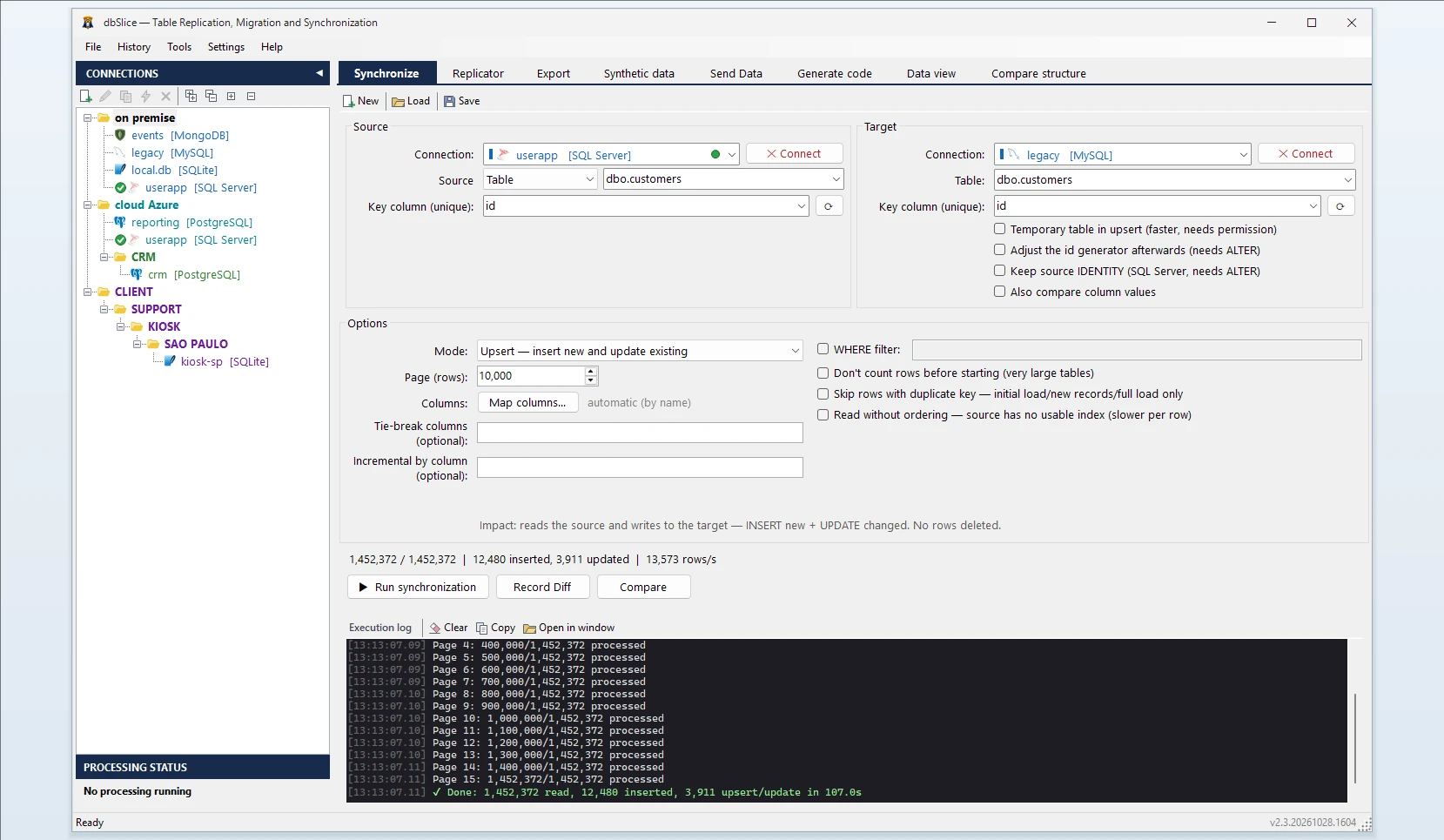
What dbSlice does
- Connects without an Oracle client. There is no Instant Client or
tnsnames.orato set up on your Windows machine. - Reads in small batches, so the production database keeps serving its users instead of carrying one long-running export.
- Writes to PostgreSQL in bulk for initial and full loads.
- Shows the target DDL. If the PostgreSQL table does not exist, dbSlice stops before writing and shows a
CREATE TABLEtranslated from Oracle for your DBA to review and run. It does not create objects in your databases by itself. - Keeps ids safe. After copying rows with their original ids, a PostgreSQL sequence can be behind the highest id. dbSlice warns and shows the command to move it forward, and can apply it if you allow it.
- Masks on the way when the copy is for development or testing.
Review these types in the suggested DDL
The suggested CREATE TABLE is a starting point. Two Oracle types need a decision from your DBA before you run it:
DATEin Oracle stores a date and a time, so dbSlice suggestsTIMESTAMP. If a column only ever holds dates, you can change it toDATE.NUMBERwithout precision is suggested as plainNUMERIC, which never cuts a value. For ids and counters,INTEGERorBIGINTis smaller and faster; pick them where you know the range.
Also worth knowing: Oracle stores an empty string as NULL, so those values arrive in PostgreSQL as NULL, not as ''.
How column types are suggested
| Oracle | Suggested in PostgreSQL | Review before running |
|---|---|---|
NUMBER(p,s) | NUMERIC(p,s) | NUMBER(p,0) ids: INTEGER or BIGINT |
NUMBER (no precision) | NUMERIC | See above |
FLOAT, BINARY_FLOAT, BINARY_DOUBLE | DOUBLE PRECISION | — |
DATE | TIMESTAMP | DATE if there is never a time part |
TIMESTAMP(n) | TIMESTAMP | — |
TIMESTAMP WITH TIME ZONE | TIMESTAMP | Change to TIMESTAMPTZ if the zone matters |
VARCHAR2(n), NVARCHAR2(n), CHAR(n), NCHAR(n) | VARCHAR(n) | Length in characters; CHAR padding is not kept |
CLOB, NCLOB | TEXT | — |
BLOB, RAW, LONG RAW | BYTEA | — |
LONG | TEXT (from version 2.3.20261030.1528) | — |
INTERVAL, ROWID, XMLTYPE, spatial types | TEXT | Convert in a SELECT source if you need the value |
It is a starting point, not a final schema: keys, indexes and constraints are yours to add.
Common errors and what they mean
numeric field overflow— aNUMBERvalue does not fit the precision chosen in theCREATE TABLE. Widen it, or use plainNUMERIC.null value in column … violates not-null constraint— Oracle stored an empty string, which isNULLin Oracle. AllowNULLin that PostgreSQL column, or use a SELECT source withNVL(column, ' ').duplicate key value violates unique constraint … _pkeyafter the copy — the sequence is behind the highest id. Run the command dbSlice shows, or tick "Adjust the id generator afterwards" before the run if your user is allowed to change the sequence.ORA-01555: snapshot too oldon a very long read — Oracle could not keep the read consistent for that long. Split the copy (a SELECT with a key range) or ask your DBA about undo retention.
Step by step
- Connect to Oracle (host, port, service name, user) and to PostgreSQL.
- Pick the source table or write a SELECT, and the target table.
- Choose the key column used to match rows.
- Choose the mode: Initial load the first time, then Upsert or Insert new.
- Check before writing: Record Diff compares keys on both sides.
- Run it, or save the job and run it from the CLI on a schedule.
Keep both in sync until cutover
Oracle usually stays in production while the new system is tested. Schedule an Upsert job every night; with a column that only grows (a timestamp or a sequence), each run reads only rows above the last value it saw. Deletes in Oracle are not detected by incremental runs, so plan a full comparison or a reload before the switch. Details: Sync Oracle to PostgreSQL.
What dbSlice does not do
- Convert PL/SQL, triggers, views or packages.
- Real-time change capture. Runs are batch jobs, on demand or scheduled.
- Run on Linux or macOS. The Windows app and CLI run on Windows; for Linux servers there is a Docker edition, sold as a project (talk to us). The databases can be anywhere it can reach.
FAQ
Does dbSlice convert PL/SQL, packages or triggers?
No. Use ora2pg, AWS SCT or manual work for code; use dbSlice for the data and the sync until cutover.
Do I need the Oracle Instant Client?
No. dbSlice connects with host, port, service name and user.
Can Oracle stay in production during the migration?
Yes. dbSlice reads in small batches, and nightly Upsert or new-rows-only runs keep PostgreSQL close to Oracle until you switch.
Does it create the tables in PostgreSQL?
Not by default. It stops before writing and shows a CREATE TABLE for your DBA to review and run.
Can I try it before buying?
Yes. The free Microsoft Store version needs no license key; writing to a target database needs a Desktop or Server license.
Also works for
Oracle to SQL Server, MySQL, MariaDB, Firebird, SQLite or InterSystems IRIS, and back into Oracle. For SQL Server sources, see Sync SQL Server to PostgreSQL.