
Migrating to SQL Server from PostgreSQL: what changes in the target
If the SQL Server table does not exist, dbSlice stops and shows a CREATE TABLE translated for SQL Server, for your DBA to review and run. By default it creates nothing in your databases. These are the PostgreSQL types that need a decision on the SQL Server side:
NUMERICwithout precision. PostgreSQL allows anumericcolumn with no limit; SQL Server stops at 38 digits. It is suggested asDECIMAL(38,10), and a declared precision above 38, such asnumeric(50,2), is capped at 38. Check the real values and adjust the precision and scale to fit them before running theCREATE TABLE.timestamptz. It arrives in UTC and is suggested asDATETIME2, without the offset. DeclareDATETIMEOFFSETif the application needs it, or keep the UTC convention.time with time zoneloses the zone too.boolean,uuid,bytea. These map cleanly toBIT,UNIQUEIDENTIFIERandVARBINARY(MAX).textandvarcharwithout length. They becomeNVARCHAR(MAX). Give a length where you can, because anNVARCHAR(MAX)column cannot be a key or a normal index column.jsonandjsonb. They arrive as text inNVARCHAR(MAX). SQL Server reads them withJSON_VALUEandOPENJSON.- Arrays, enums,
interval,inetand other PostgreSQL-only types. They have no SQL Server equivalent and are suggested asNVARCHAR(MAX). Use a SELECT as the source and convert them, for exampleSELECT id, array_to_string(tags, ',') AS tags, status::text AS status, … FROM orders, or move arrays to a child table. - Lower-case names. PostgreSQL folds unquoted names to lower case. Choose the SQL Server table and column names yourself in the
CREATE TABLE; dbSlice maps columns by name, so keep them matching. serialand identity columns. SQL Server only takes explicit ids with Keep identity, which needs ALTER permission on the table and is confirmed on screen first. Without it, SQL Server generates new ids, so do not use the id as the sync key.- Upsert runs as
MERGEand bulk loads useSqlBulkCopywith triggers and constraints checked.
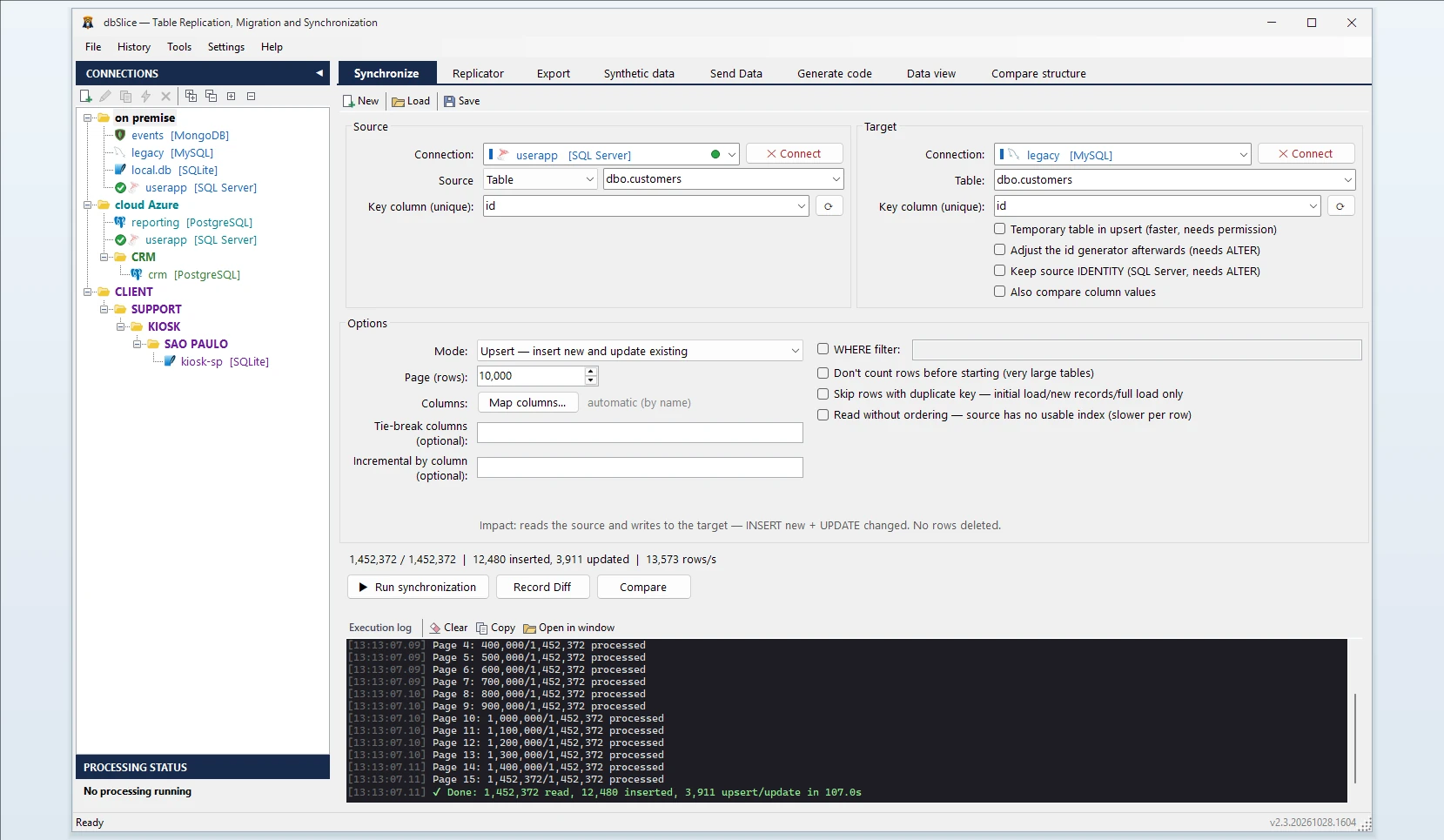
How dbSlice controls the load
- Reads PostgreSQL in small batches, so the live database keeps serving its users.
- Matches rows by a key you choose. Modes: Initial load, then Upsert, Insert new, Update only or incremental by column (
updated_ator the sequence id). - Checks before writing with Record Diff and on-screen checks, and proves the result with Compare and the full list of divergent keys.
- Masks on the way for development and test copies, keeping keys and foreign keys intact.
- Export instead of load: when you only need a file, the same app exports a PostgreSQL table to CSV, JSON, XML or HTML.
Step by step: convert a table from PostgreSQL to SQL Server
- Connect to PostgreSQL and to SQL Server.
- Pick the source table (or a SELECT, as in the array example) and the target table.
- Choose the key column, and turn on Keep identity if the ids must stay the same.
- Choose the mode: Initial load, then Upsert or Insert new.
- Run Record Diff, then the copy, or save it as a job for the CLI and the Windows Task Scheduler.
Moving data between PostgreSQL and SQL Server in both directions
The same app moves data the other way: see SQL Server to PostgreSQL and the nightly routine in Sync SQL Server to PostgreSQL. It also covers MariaDB to SQL Server and MySQL to SQL Server. From Oracle? See Oracle to SQL Server. To MySQL or MariaDB? See PostgreSQL to MySQL.
FAQ
Does dbSlice convert functions, triggers or views?
No. It moves data; PL/pgSQL code has to be rewritten in T-SQL.
Do I need logical replication or extensions on PostgreSQL?
No. dbSlice reads the tables with ordinary queries.
Are deletes copied by incremental runs?
No. Run Compare or a reload before the switch.
Is there a free version?
Yes, on the Microsoft Store: it connects, browses, compares and exports to CSV. Writing to a target needs a Desktop or Server license.