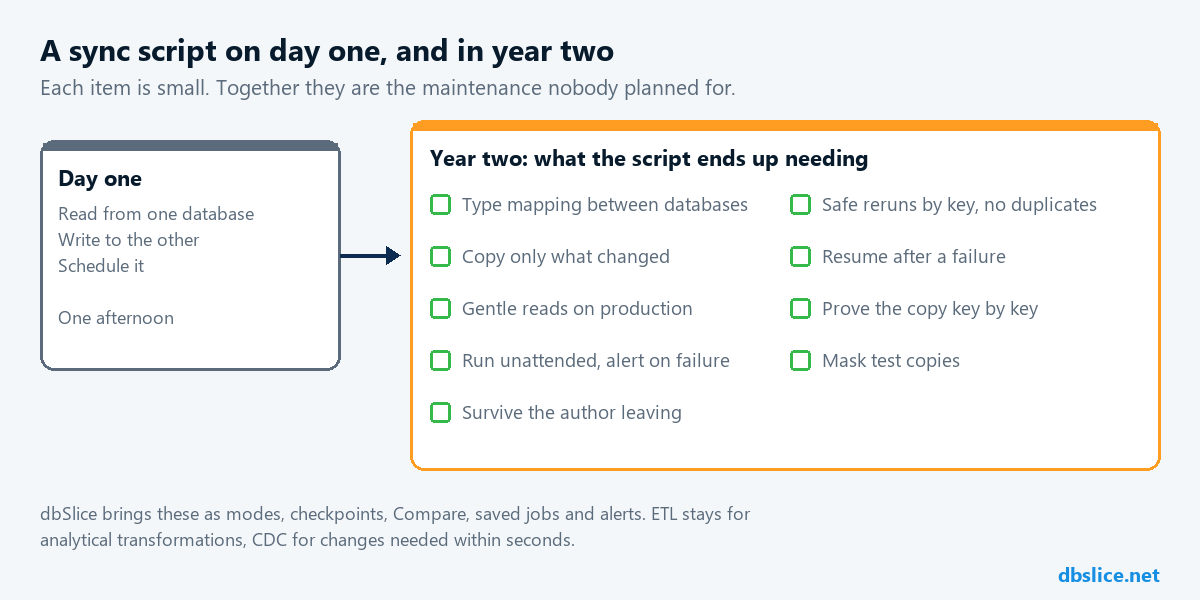
The first replication script takes an afternoon: read from one database, write to the other, schedule it. The cost shows up in year two. A column type changes, the network drops in the middle of a batch, a rerun duplicates rows, the developer who wrote it moves to another team, and someone asks the question the script cannot answer: do the two databases actually match?
This guide is about that year-two cost: what an in-house script ends up needing, what a tool such as dbSlice replaces, and where ETL or CDC should stay.
Replication, ETL and CDC are different jobs
- Replication here means keeping a copy of tables current for a purpose (a report database, a new system during coexistence, a test environment), usually in scheduled batches.
- ETL combines sources and applies business rules to build a model. Platforms such as Azure Data Factory also copy data, but their strength is transformation and orchestration.
- CDC captures each change from the source log and streams it with low delay. Debezium is a common example.
dbSlice does the first job: batch movement and sync between the leading databases, on demand or on a schedule. It is not CDC and not real time, and incremental runs do not see rows deleted at the source.
The year-two checklist
What a sync script ends up needing, and what dbSlice brings for each item:
| The script has to… | In dbSlice |
|---|---|
| Translate types between two databases (dates, decimals, text, binary) | Type mapping per database pair, and a suggested CREATE TABLE for your DBA to review |
| Avoid duplicates and be safe to rerun | Modes by key: Upsert, New rows only, Update existing only |
| Copy only what changed | Incremental by column with a re-read window for late commits |
| Resume after a failure without starting over | Checkpoint resume in Synchronize |
| Read production without hurting it | Reads by key in small batches; by default creates nothing in the database |
| Prove the copy is right | Record Diff before writing; Compare with the full list of divergent keys |
| Run unattended and say when it fails | Saved jobs, command line and scheduler, exit codes, e-mail and webhook alerts |
| Hide sensitive fields in test copies | Masking in flight, keys and foreign keys preserved |
| Copy many tables with the same rules | The Replicator, with a result per table |
| Survive the author leaving | A job file anyone can open on screen, instead of code only one person knows |
Each line is small. Together they are the maintenance budget nobody planned for the script.
When building is still the right call
- A small, one-time task with one table and no refresh: a short script may be faster than any tool.
- Rules that change what the data means, applied row by row, belong in code or in an ETL stage. dbSlice can move the data before or after that stage.
- A pipeline that already works, is monitored and costs little to keep: measure before replacing it.
When ETL or CDC should stay
| Scenario | Keep or use | Where dbSlice fits |
|---|---|---|
| Many sources and analytical transformations | ETL/ELT platform | The load from the operational databases, if it fits |
| Changes needed on the target within seconds | CDC or native replication | Batch reloads and a key-by-key Compare to check the copy |
| Nightly refresh of report or integration tables | Often a sync tool | Load and sync jobs |
| Gradual system replacement with both systems live | Sync jobs during coexistence | See data coexistence |
Measure it in your proof of concept
Skip invented savings. Run the same scenario both ways and write down the hours:
- Set up one representative table and run the first load.
- Change rows at the source, rerun, and check that nothing was duplicated.
- Break the run on purpose (stop the network or the target) and see what has to be repeated.
- Find the rows that differ between source and target.
- Turn it into a scheduled job with an alert on failure.
Steps 3 to 5 are where an in-house script costs the most, and where the comparison usually gets decided.
FAQ
- Does dbSlice replace our ETL platform? No. It handles the movement and sync stages between databases. Transformations and orchestration can stay where they are.
- Can we start with one table and grow? Yes. Start with one table in Synchronize; the Replicator runs many tables with the same rules.
- Does it run on Linux? Yes, the Linux edition runs in Docker with a web interface, a built-in scheduler and a job API.
- What does it cost? See data migration tool pricing. The free version on the Microsoft Store connects, browses, compares and exports to CSV; writing to a target needs a license.
Planning a system replacement and need help designing the coexistence? Thinwork can run the project with you.