
Quick answer
- Pick DBeaver when you want one database tool for daily SQL work (browse, query, edit) and an occasional copy of tables between databases. The free Community edition does that.
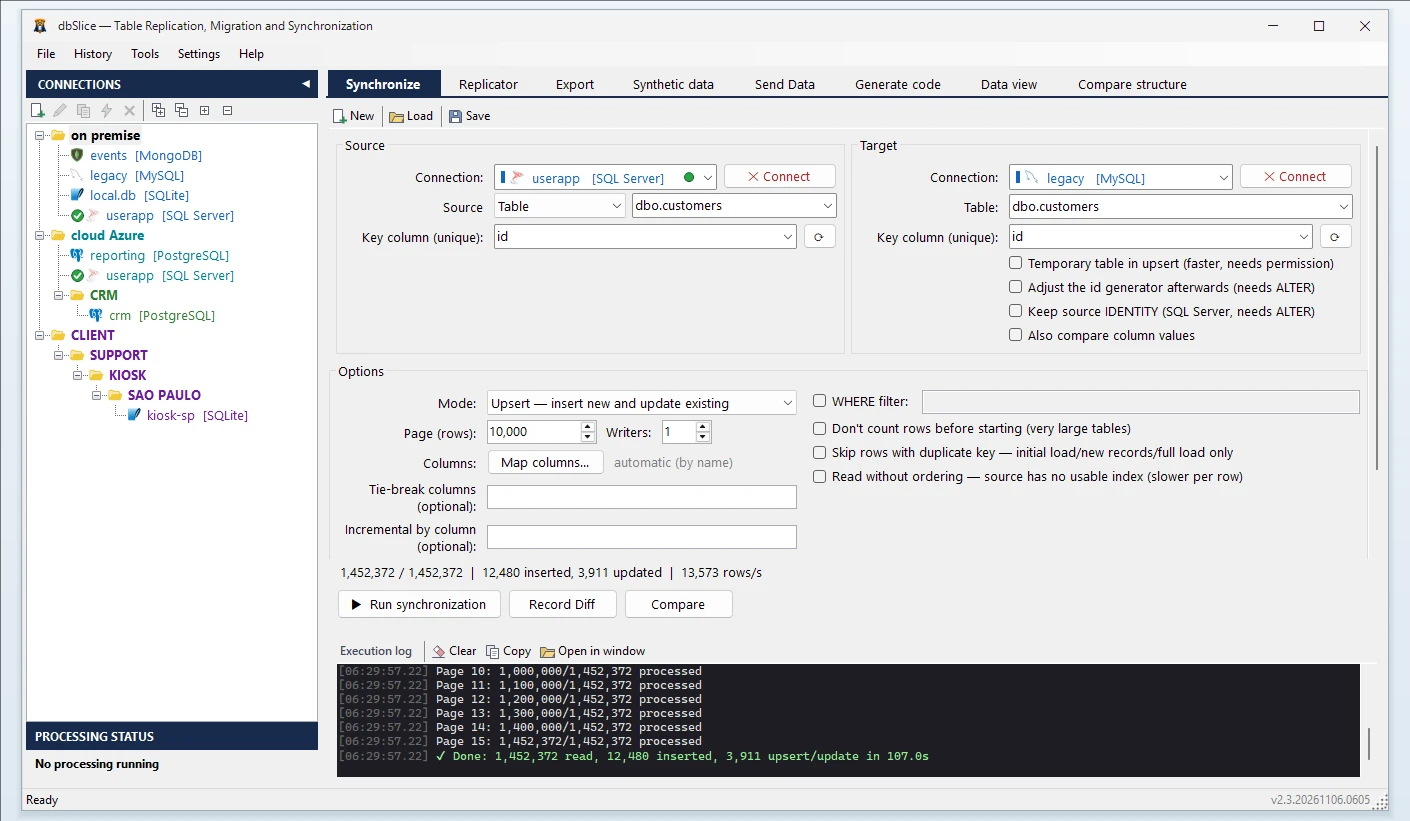
- Pick dbSlice when the copy has to repeat: Upsert or incremental syncs on a schedule, a key-by-key compare with the list of divergent keys, masked or synthetic test data, or InterSystems Caché and IRIS on either side.
- Use both: DBeaver for everyday SQL; dbSlice for the scheduled syncs, the compare before cutover and the test copies.
Side by side
| dbSlice | DBeaver (as of 08/11/2026) | |
|---|---|---|
| Built for | Moving data, keeping it in sync and comparing it across the leading databases | A database tool for browsing, querying and editing many databases |
| Copy tables between databases | Yes, with the target DDL shown first | Data transfer in every edition, Community included |
| Repeated syncs | Upsert, New rows only, Update existing only, incremental by column, in batch | Not covered on this page |
| Compare data | Key by key, full list of divergent keys saved to a file | Table data comparison in Enterprise, Ultimate and Team |
| Schedule and command line | Saved jobs, run from the CLI on any scheduler, with e-mail and webhook alerts; the Linux edition adds a built-in scheduler and a job API | Task scheduler in Enterprise, Ultimate and Team; -runTask on the command line in PRO |
| Test data | Masking in flight with keys and foreign keys preserved; synthetic rows, with foreign keys filled from values that exist in the referenced table | Mock data generation in Enterprise, Ultimate and Team; masking not covered on this page |
| Send rows to APIs and brokers | REST, Kafka, RabbitMQ and more (Send Data) | Not covered on this page |
| License | Perpetual: US$ 89.99 Desktop (launch price), US$ 199.99 Server (launch price), 12 months of updates | Community free; Lite US$ 113/year, Enterprise US$ 255/year, Ultimate US$ 510/year |
"Not covered on this page" means we did not find it on DBeaver's site when we checked. It does not mean DBeaver cannot do it.
When DBeaver is the better choice
- You need a full database tool for daily work: browsing, editing data and writing SQL across many databases.
- An occasional copy of a few tables is enough, and the free Community edition covers it.
- Your team already standardised on DBeaver, with AI capabilities and NoSQL support in the PRO editions.
When dbSlice fits better
- The old system stays live for weeks, and the target has to follow it every night with only the new and changed rows.
- You must prove the copy is complete: compare both sides key by key and keep the list of what differs.
- Developers and QA need production-like data without the customers in it: masked copies, or synthetic rows that keep the foreign keys valid.
- InterSystems Caché or IRIS is on either side.
- You prefer a perpetual license to a yearly subscription.
The honest con about dbSlice
- dbSlice is not a database management tool for daily SQL work. It does not replace DBeaver for writing and running SQL every day.
- It moves data. It does not convert stored procedures, triggers or views.
- It runs batch jobs, on demand or on a schedule, not real-time replication.
- It is a Windows app with a command line. The Linux edition runs in Docker on your own infrastructure.
In one dbSlice license: migrate · keep in sync on a schedule · CLI jobs · compare key by key · masking with keys and foreign keys preserved · synthetic test data for DEV and QA
> keep in sync on a schedule ·
> CLI jobs ·
> masking with keys and foreign keys preserved ·
> synthetic test data for DEV and QA
FAQ
Can DBeaver migrate data between databases?
Yes. Its data transfer copies tables between databases in every edition. DBeaver lists data migration, table data comparison and a task scheduler in its Enterprise, Ultimate and Team editions (checked Nov 8, 2026).
Can dbSlice keep two databases in sync on a schedule?
Yes. Save the sync as a job and run it from the command line on any scheduler, or from the built-in scheduler of the Linux edition. It runs in batch, not in real time.
Can I use both?
Yes. Many teams keep DBeaver for everyday SQL and use dbSlice for the syncs, the compare before cutover and the test copies.
Can I try dbSlice before buying?
Yes. The free version on the Microsoft Store connects, browses data, compares structures and exports to CSV. Writing to a target needs a Desktop or Server license, with a 14-day money-back guarantee.
Planning a system replacement and need help designing the coexistence? Thinwork can run the project with you.
DBeaver is a trademark of its owner. dbSlice is not affiliated with DBeaver. Competitor information comes from its public website on the date shown and may have changed.