"How long will production be down?" is the question every migration plan has to answer. The answer depends less on how fast you copy and more on which pattern you choose to keep the old and new databases close while the business keeps writing.
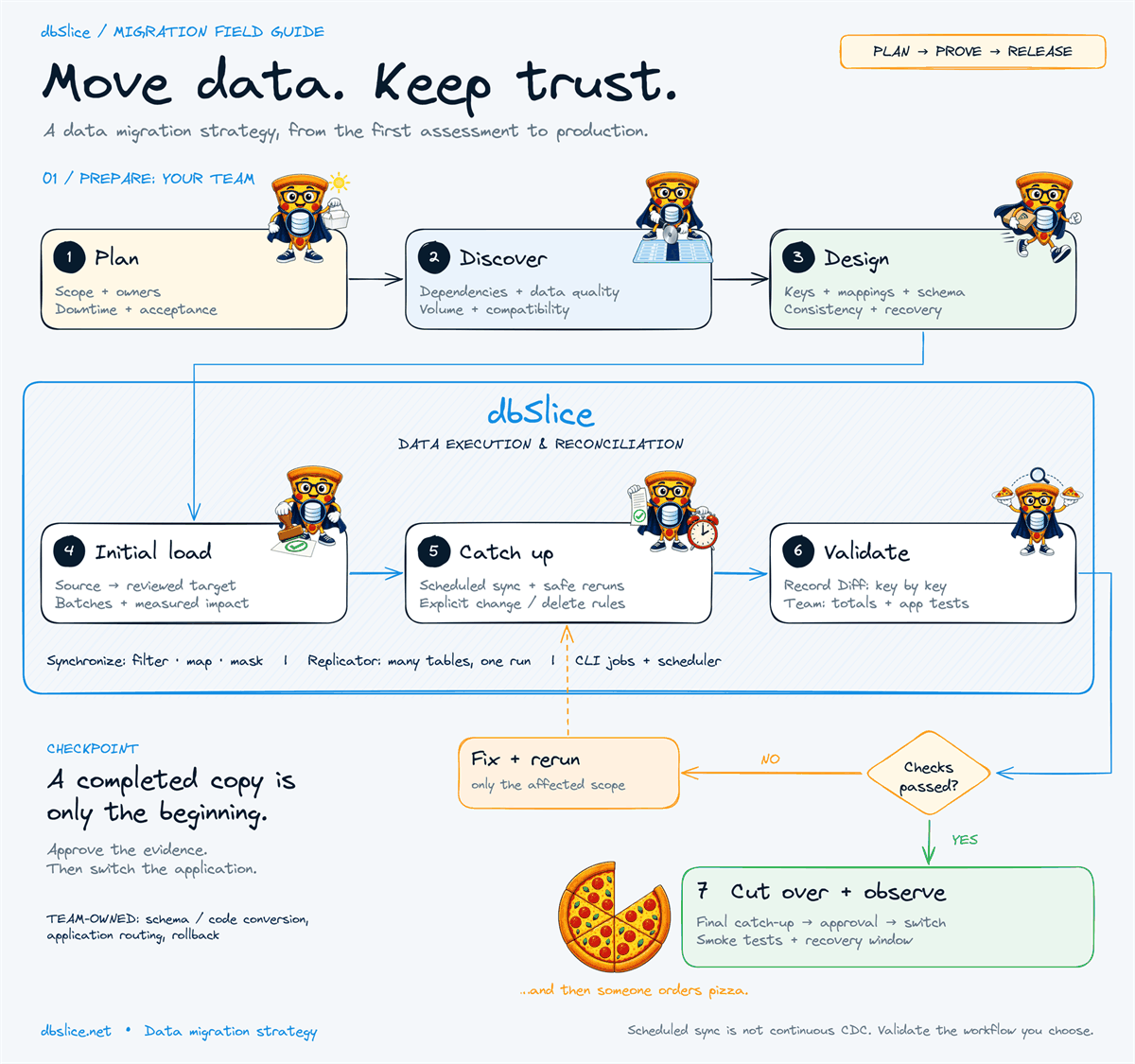
This note expands step 3 of our data migration strategy guide.

The four patterns
| Pattern | Final outage | Works when | Watch out for |
|---|---|---|---|
| Offline | Full copy + validation | A planned weekend fits the volume | The window grows with the data |
| Phased | One slice at a time | Tenants, entities or services move independently | Routing and coexistence logic |
| Initial load + scheduled catch-up | Last catch-up + validation | Stable keys and a reliable way to find changed rows | Deletes, late commits, job duration |
| Log-based CDC | Seconds to minutes | Continuous capture is a hard requirement | Dedicated tooling, permissions, operations |
dbSlice fits the first three. It runs initial loads and repeatable synchronization jobs (upsert, insert-new and incremental runs). It is not log-based CDC. If your requirement is continuous capture, use a CDC tool for that part and keep dbSlice for loads, reconciliation and checks.
Will scheduled catch-up converge?
Initial load + catch-up is the most common middle ground. The idea: copy everything once while production runs, then run short incremental jobs that pick up what changed, until the last one is small enough to fit a brief write pause.
It converges when each run finishes well before the next one starts and the changes per run keep shrinking. A quick test from your rehearsal:
- Time the initial load (say 9 hours).
- Run the first catch-up right after it and time it (say 25 minutes for 9 hours of changes).
- Run it again (say 3 minutes for 25 minutes of changes).
If the runs shrink like that, the final outage is roughly stop writes + one last short catch-up + validation. If a catch-up takes about as long as the period it covers, it will never close the gap: split the scope, move the heaviest tables in a phase of their own, or consider CDC for those tables.
Illustrative timings; measure your own.
Finding changed rows: the watermark traps
Incremental runs need a column that tells you what changed: an updated_at timestamp or an ever-growing key. Two traps cause most "missing rows" reports:
- Late commits. A transaction that started before your last run commits after it, with a timestamp you have already passed. Re-reading a small window behind the last value catches it. In dbSlice the incremental filter uses
>=on the last value, and dbSlice adds a re-read window for exactly this case. - Updates without a new timestamp. A trigger, a bulk script or a bad default writes rows without touching
updated_at. No watermark can see them; a key-by-key compare will.
We covered both in detail in Incremental sync missing rows?
Deletes need a decision
An upsert inserts and updates; it does not remove rows that were deleted at the source. Choose one, and write it in the runbook:
- Soft deletes / tombstones at the source, synced like any other update.
- Periodic reconciliation: compare key by key and treat "extra in target" as candidates for removal, with someone accountable approving it.
- Final reload of small or volatile tables during the cutover window.
Choosing, in one page
- Can the business stop writes for the whole copy? → Offline. Simplest consistency boundary.
- Can it move by tenant, entity or service? → Phased.
- Do catch-up runs shrink in rehearsal, and do you have a delete policy? → Initial load + scheduled catch-up.
- Does the business need seconds of lag, continuously? → CDC for those tables.
Whatever you pick, prove it in rehearsal: measure the initial load, the catch-up runs and the validation on representative data, then size the outage from what you measured.
Key takeaways
- The pattern decides the outage more than the copy speed does.
- Scheduled catch-up must converge; check it with timed rehearsal runs.
- Watermarks miss late commits and silent updates: re-read a window and compare key by key.
- Deletes are a decision, not a side effect.
Measure your own rehearsal: the SQL Server to PostgreSQL guide walks through the sync modes. The free version of dbSlice is on the Microsoft Store; writing to a target database needs a Desktop or Server license.
Planning a system replacement and need help designing the coexistence? Thinwork can run the project with you.
Engine guides: SQL Server to MySQL · MySQL to PostgreSQL · Oracle to PostgreSQL · SQL Server to PostgreSQL sync