The transfer finished. The log is green. The row counts match. Can you switch production?
Not yet. A matching count proves only that two tables hold the same number of rows. They can still hold different customers, different amounts, or the same order twice and another one missing. Validation is where a migration earns the right to cut over, and it deserves its own plan, its own owners and its own time in the schedule.
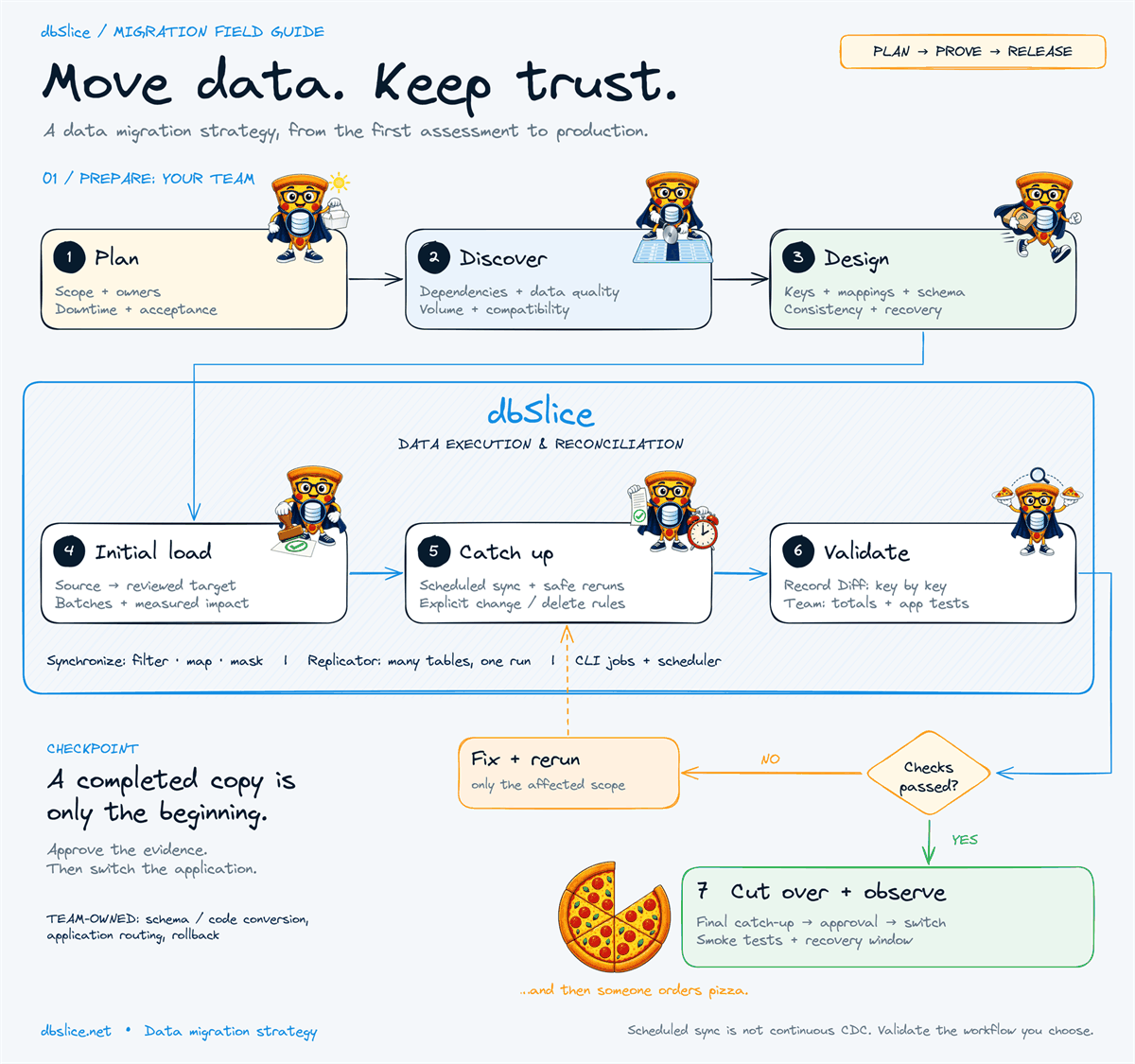
This note expands step 8 of our data migration strategy guide.

First, fix the comparison boundary
Before comparing anything, agree on what moment in time you are comparing. If the source keeps receiving writes while you validate, every difference you find may be timing, not a defect.
- Offline cutover: writes are stopped; compare after the final load.
- Initial load + catch-up: freeze a boundary (a timestamp, a maximum key, or a short write pause) and compare only the rows inside it.
- Phased migration: compare one entity, tenant or service at a time.
Rule of thumb: a difference you cannot explain is a defect until proven otherwise. A difference you can explain (a row written after the boundary) goes in the report with its reason.
The six layers
1. Coverage — is everything there?
Required tables, partitions, date ranges and key ranges exist in the target. Counts belong here, as a screening check: cheap, fast and good at spotting a table that was skipped.
SELECT COUNT_BIG(*) FROM dbo.orders WHERE created_at < '2026-11-01';   -- SQL Server: 64-bit count
SELECT COUNT(*)     FROM public.orders WHERE created_at < '2026-11-01'; -- PostgreSQL
On very large tables, use 64-bit counters (COUNT_BIG on SQL Server) and count by range, so one slow query does not hold the whole check.
2. Identity — the right rows, key by key
Compare keys, not counts: which keys are missing in the target, which are extra, and which appear twice. This is where most silent problems show up — a batch that failed halfway, a filter that was too strict, a retry that inserted twice.
In dbSlice, Compare checks two tables key by key and lists what is missing in the target, what is extra in the target and what has different values. The keys come out comma-separated, ready to paste into a WHERE id IN (…) and re-sync only those rows.
3. Values — the right content
Matching keys with different content is the next trap: a truncated text, a decimal rounded by a type mapping, a timestamp shifted by a time zone. Compare the critical columns under your documented conversion rules, not every column blindly. Write those rules down: "Oracle NUMBER(12,2) → PostgreSQL numeric(12,2), no rounding allowed" is testable; "types look fine" is not.
4. Relationships — nothing orphaned
Children without parents break applications in ways counts never show. Run orphan checks on the target:
SELECT i.order_id
FROM   order_items i
LEFT   JOIN orders o ON o.order_id = i.order_id
WHERE  o.order_id IS NULL;
Then confirm that constraints you disabled for the bulk load are back on, and that they validate.
5. Business meaning — the numbers the business trusts
Ask the business owner which totals they would check first: open invoices, account balances, stock on hand, orders by status. Compute them on both sides for the same boundary.
| Check | Source | Target | Result |
|---|---|---|---|
| Open invoices (count) | 18,204 | 18,204 | ✔ |
| Open invoices (sum) | 4,112,908.55 | 4,112,908.55 | ✔ |
| Orders "shipped" in October | 96,311 | 96,309 | ✘ explain |
Illustrative numbers. Two missing "shipped" orders is exactly the kind of difference a key-by-key compare then pins down.
6. Application readiness — it works, not just matches
Point a test instance of the application at the target and run the critical flows: log in, search, create, update, report, integrate. Engine differences (collation, case sensitivity, implicit conversions) surface here and nowhere else.
Make it repeatable, not heroic
Validation run once by hand at 3 a.m. is fragile. Run it every rehearsal, and keep the result:
- Save the comparison as a read-only job and run it on a schedule with the Windows Task Scheduler or cron. dbSlice status jobs report differences without changing data and can send the report by e-mail or webhook.
- Keep an evidence record: boundary, timestamps, counts, differences found, how each was explained or fixed, and who approved.
- Budget time and capacity: validation reads both databases again. Run heavy checks against a replica when you can.
When a check fails
Fix only the affected scope and run it again: re-sync the listed keys, reload one partition, correct one mapping. Then repeat the layer that failed and every layer after it. A green check on stale evidence is not a green check.
Key takeaways
- Counts screen; keys prove. Always compare key by key before you trust a table.
- Freeze the boundary before you compare a source that is still changing.
- Business totals convince the people who sign the cutover.
- Automate the checks and keep the evidence; you will run them more than once.
The Replicator guide shows the key check after a multi-table run. The free version of dbSlice is on the Microsoft Store; writing to a target database needs a Desktop or Server license.
Planning a system replacement and need help designing the coexistence? Thinwork can run the project with you.
Engine guides: SQL Server to MySQL · MySQL to PostgreSQL · Oracle to PostgreSQL · SQL Server to PostgreSQL sync