
What is in the test database
| Table | Rows by default | Content |
|---|---|---|
| Customer | 50 | name, e-mail, phone, city, country |
| Item | 200 | SKU, name, category, unit price |
| SalesOrder | 5,000 | customer, order date, status, total |
| SalesOrderItem | 20,000 | order, item, quantity, unit price, line total |
All data is fictitious and generated on your computer; nothing is downloaded. The order total is the sum of its lines, and the tables are linked by foreign keys, like a real sales system. You can change the number of rows of each table, up to 10 million, to see how dbSlice behaves with large volumes.
The two connections are created in the TEST folder of the connection tree: Demo Source (SQLite) and Demo Target (SQLite).
Create it the first time you open dbSlice
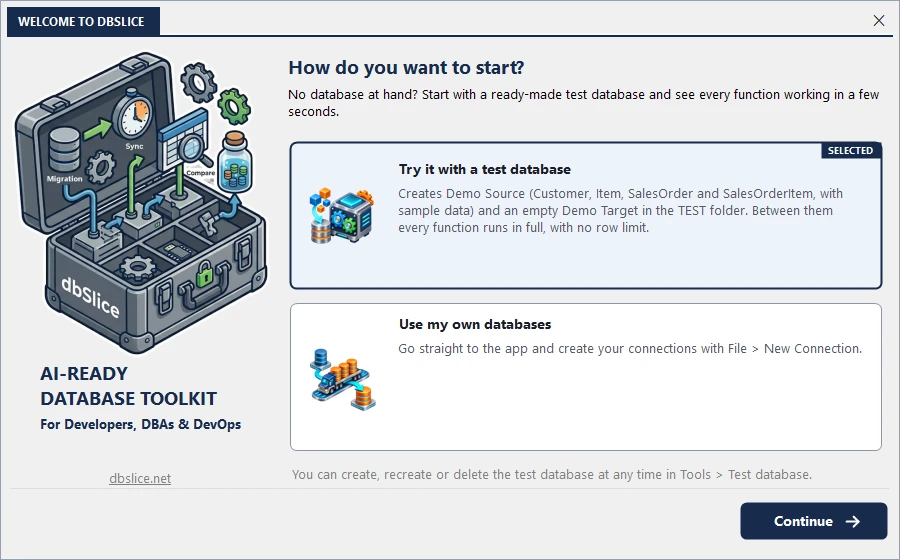
When you open dbSlice for the first time and there is no connection yet, the welcome screen asks how you want to start. Choose Try it with a test database and click Continue.
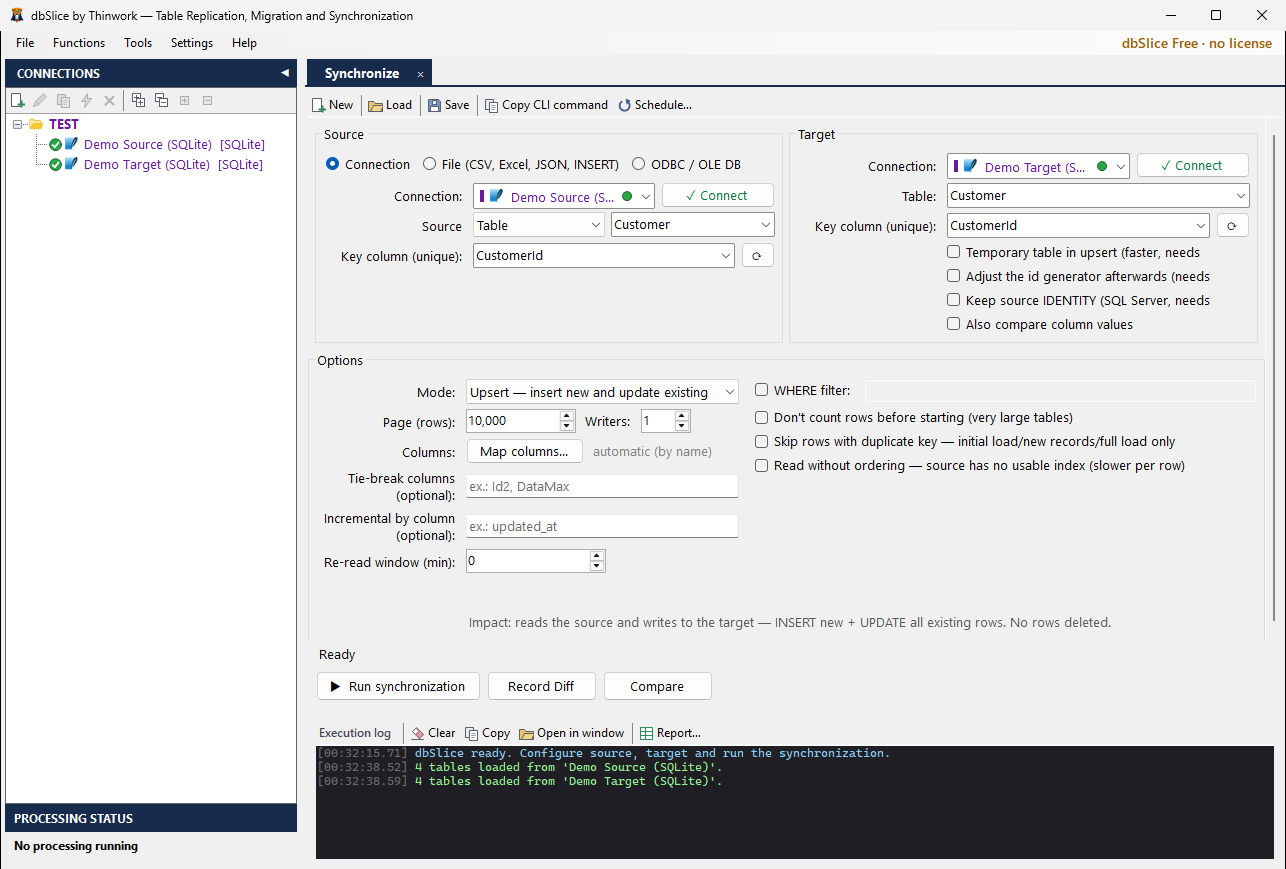
The test database is created in a few seconds and the Synchronize screen opens ready to run: Demo Source as the source, Demo Target as the target, table Customer, key CustomerId, both connections already connected. Click Run synchronization.
If you already have connections, the welcome screen does not appear. Create the test database from the Tools menu.
Create, recreate or delete it in Tools > Test database
Tools > Test database is available in every edition, including dbSlice Free.
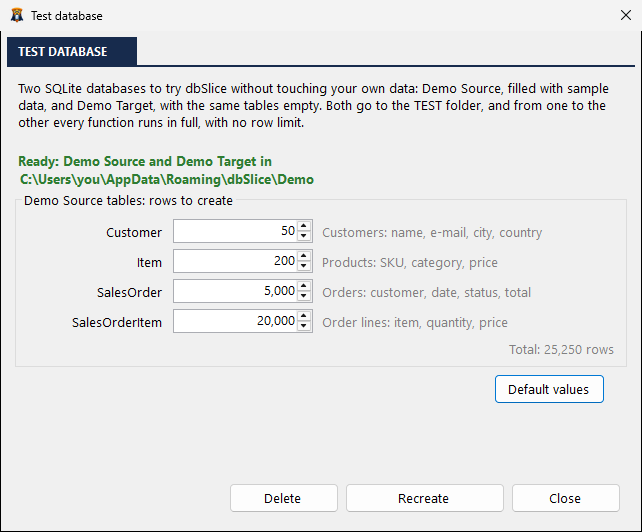
- Create / Recreate: generates Demo Source with the numbers of rows in the window. Default values goes back to 50 / 200 / 5,000 / 20,000. A progress bar shows the rows being created; Cancel keeps the previous test database.
- When you recreate it, dbSlice asks whether Demo Target should also be cleared, so you can run everything again from an empty target.
- Delete: removes the two connections and their files.
The files stay in your dbSlice data folder (%APPDATA%\dbSlice\Demo).
What you can try with it
- Synchronize: all modes (Upsert, insert new only, update only, full load). Synchronize the parent tables first (Customer, Item, SalesOrder) and then SalesOrderItem, as in a real database with foreign keys.
- Clone tables: create the four tables in Demo Target with their data (use "Drop and recreate if it already exists" when the tables are already there).
- Export: any format (CSV, JSON, XML, Excel, SQL scripts and the others) from Demo Source or Demo Target.
- View data, Compare structure and Generate code work as with any connection.
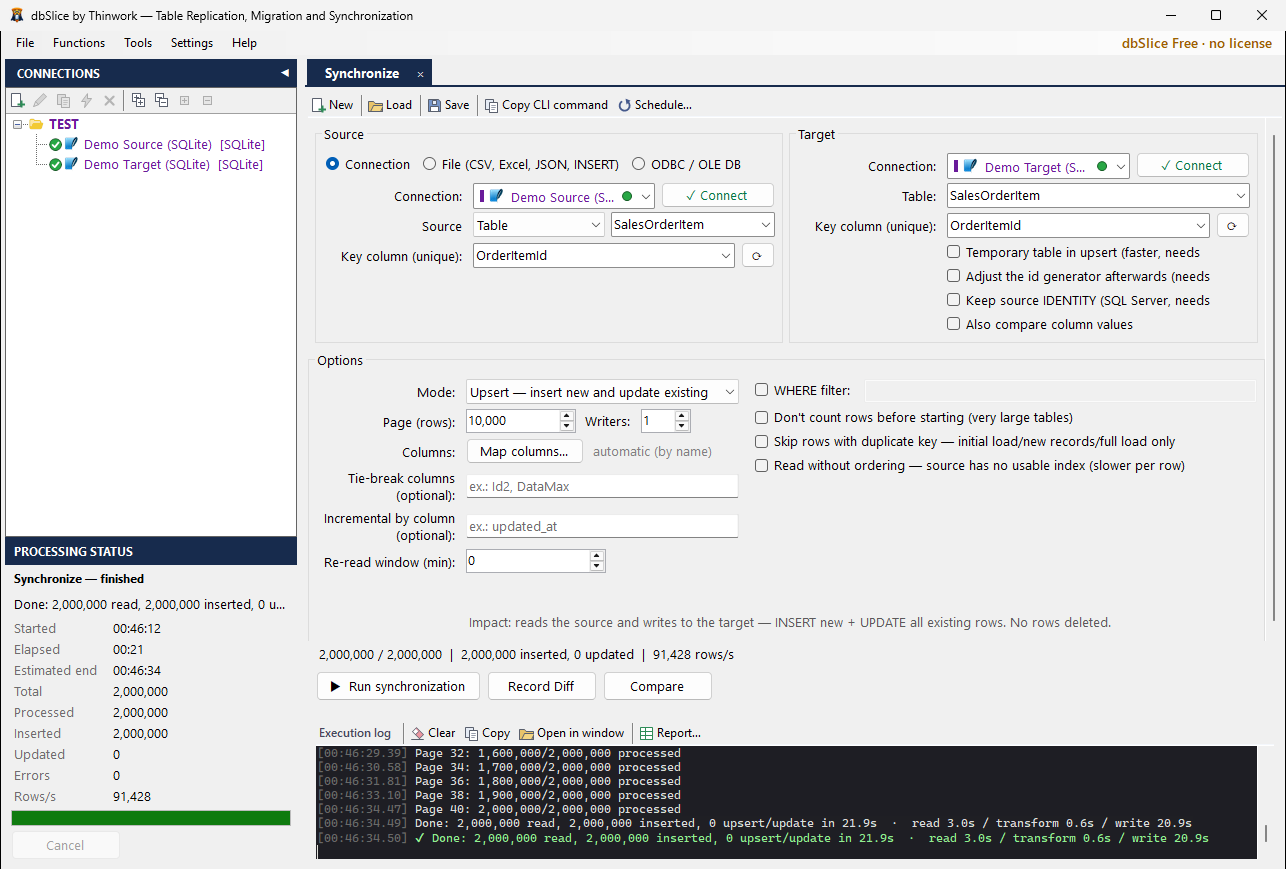
The no-limit rule
dbSlice Free writes up to 100 rows per run. The test database is the exception: with Demo Source (SQLite) as the source and Demo Target (SQLite) as the target, using the four tables of the test database, there is no limit, so you can test large volumes before buying. Any other connection keeps the dbSlice Free limit.
FAQ
Does the test database send anything over the internet?
No. It is generated on your computer and dbSlice Free does not access the internet on its own.
Can I use it with my own databases?
Use it to learn the screens. To work with your data, create your connections with File > New Connection.
I deleted it. How do I get it back?
Tools > Test database > Create.