
Read this first: dbMigration's features below are described from the vendor's own pages (fishcodelib.com), checked on 12 Nov 2026, not from hands-on testing. If a page does not list a feature, we say "not listed", not "it cannot".
Try the free dbSlice on the Microsoft Store · See pricing
Quick answer
- Pick dbMigration .NET for the lowest price, a one-off conversion, or sources dbSlice does not read (Access, Excel, dBase, FoxPro, DB2, Informix, Teradata, any ODBC/OLE DB).
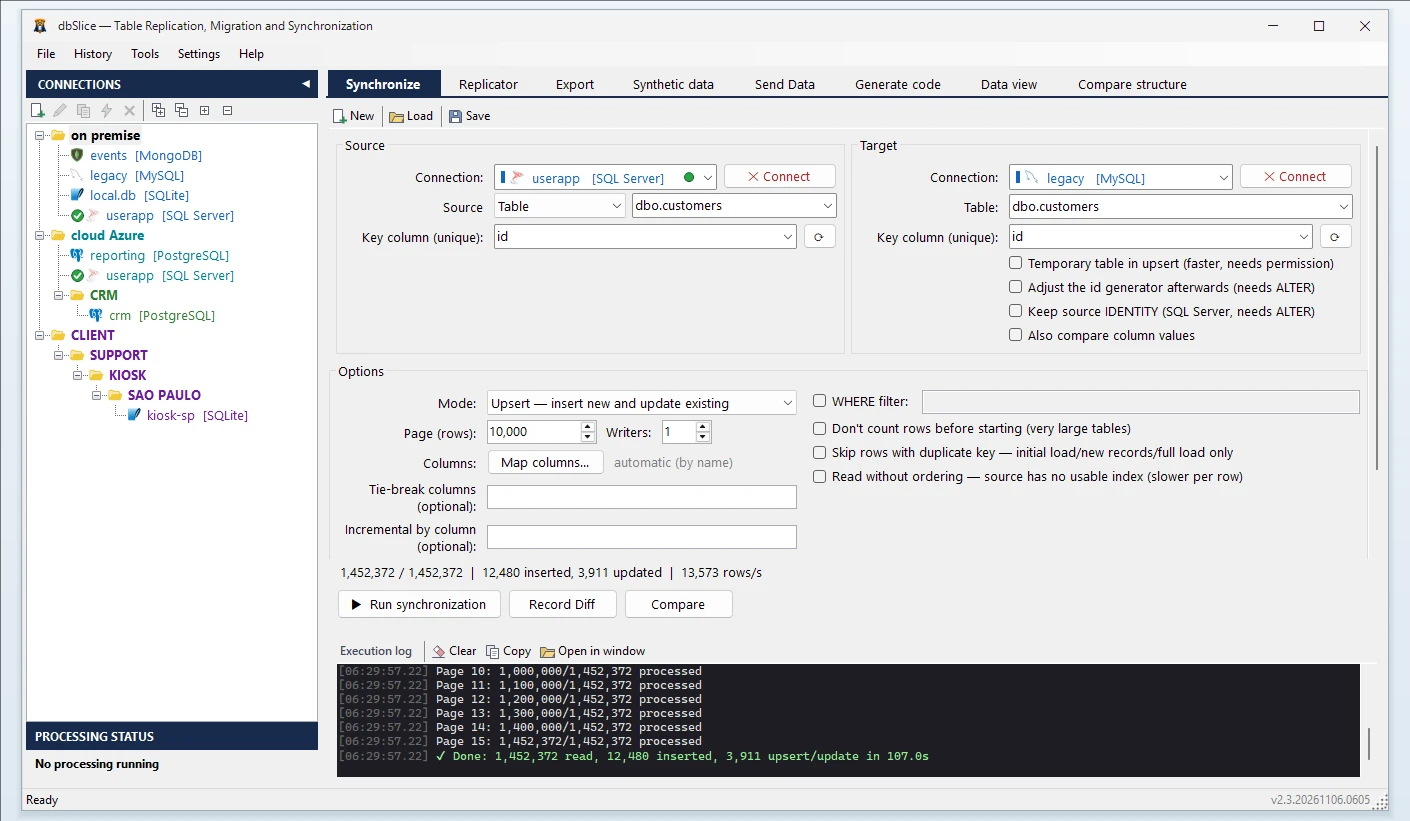
- Pick dbSlice when the copy must be proved right (key-by-key compare), when data must be masked while copying, when a long run may be interrupted and must resume, or when you need NoSQL targets, a Linux edition or CLI jobs from the same file the screen saves.
Price and licensing
All prices below are lifetime licenses in US dollars, as published by each vendor.
| Price | Source and date | |
|---|---|---|
| dbMigration .NET Free | US$ 0, non-commercial; 10,000 rows per table | fishcodelib.com, 12 Nov 2026 |
| dbMigration .NET Plus | US$ 65, free upgrades | fishcodelib.com, 12 Nov 2026 |
| Database .NET Professional (IDE with dbMigration Plus included) | US$ 99 | fishcodelib.com, 12 Nov 2026 |
| dbSlice Desktop | US$ 89.99 perpetual (launch price), 12 months of updates and support | dbslice.net/pricing, 12 Nov 2026 |
dbMigration is the cheaper product, and its updates are free with no renewal. dbSlice's license is perpetual for the last eligible version; updates, CLI and jobs run for 12 months, then optional maintenance. 14-day money-back guarantee.
Side by side
| dbSlice | dbMigration .NET (as of 12 Nov 2026) | |
|---|---|---|
| Entry price | US$ 89.99 (launch price) | US$ 65 (Plus); US$ 99 for the IDE with it |
| Copy between databases | Yes, tables, with the CREATE TABLE shown for your DBA | Yes; also creates tables, indexes, CHECK, DEFAULT and foreign keys in the target, with SQL preview |
| Databases and formats | SQL Server, PostgreSQL, Oracle, MySQL, MariaDB, Firebird, SQLite, InterSystems Caché/IRIS | Longer list: also DB2, Informix, Teradata, Sybase, Vertica, Access, Excel, dBase, FoxPro, text, ODBC/OLE DB |
| Sync | Batch: upsert, new-only, update-only, incremental by column | Sync and append in the Plus edition |
| Command line | CLI jobs; the saved file reopens the same screen and runs the same job | Command line in Plus, with command generation and Windows Task Scheduler |
| Compare data key by key | Yes; divergent keys saved to a file | Not listed on its feature pages |
| Mask columns while copying | Yes, built in | Not listed |
| Resume an interrupted run | Yes | Not listed |
| NoSQL | MongoDB, Cassandra, Elasticsearch, Couchbase, Redis connectors | Not in the converter; the IDE mentions NoSQL via Apache Drill |
| Platform | Windows app; Linux edition in Docker | Windows, single executable |
| Free option | Free version on the Microsoft Store, no key | Free edition, non-commercial, 10,000 rows per table, 32-bit |
When dbMigration .NET is the better choice
- Budget is the first rule: US$ 65 lifetime is hard to beat, and Plus includes sync and a command line.
- You are moving data between older or unusual sources: Access, Excel, dBase, FoxPro, Informix, Teradata, Sybase, DB2, or anything with an ODBC driver.
- You also need table and index creation in the target with an editable type mapping and SQL preview.
- It is a one-off conversion and you do not need proof of the result beyond your own row counts.
When dbSlice fits better
- Migrating to PostgreSQL or SQL Server and you must show the copy matches: dbSlice compares source and target key by key and saves the divergent keys to a file.
- You copy production to test and need column masking while copying.
- A run of hours may be cut off by a network or server problem: dbSlice resumes where it stopped.
- You want to export or send rows to NoSQL stores, or run the same job on Linux in Docker.
- You want to try it first: the Microsoft Store version has no license key.
- One saved file opens as the screen and runs from the CLI, so a one-off run becomes a repeatable job.
dbSlice does not convert procedures, views or triggers, and it is batch only: no real-time replication. To convert a table and its data into another engine, both tools do the copy; the difference is what you can check afterwards.
Try both on your own data
Run the same table through each tool on your own servers: row counts, run time and how each handles your data types. Results depend on network, disk, indexes and row width more than on any vendor's claim.
More on the main pair: SQL Server to PostgreSQL migration tools compared · all comparisons · the product · pricing
In one dbSlice license: migrate · keep in sync on a schedule · CLI jobs · compare key by key · masking with keys and foreign keys preserved · synthetic test data for DEV and QA
FAQ
Is dbMigration .NET cheaper than dbSlice?
Yes. Plus is US$ 65 lifetime and Database .NET Professional is US$ 99 with dbMigration Plus included, against US$ 89.99 for dbSlice Desktop at launch price (all checked 12 Nov 2026). Free updates are included in theirs.
Does dbMigration .NET have sync and a command line?
According to its own pages, yes, in the Plus edition, with scheduling through the Windows Task Scheduler. dbSlice also has batch sync and CLI jobs; its CLI runs the same saved file the screen opens.
Can dbMigration .NET check that the copied data matches?
Its feature pages do not list a key-by-key data compare. We did not test the product, so check with the vendor. dbSlice has this built in.
Which one handles Access, Excel, dBase or Informix?
dbMigration .NET lists them; dbSlice does not read them. For those sources, choose dbMigration.
Is there a free dbSlice?
Yes: the free version on the Microsoft Store connects, shows data, compares and exports to CSV, with no license key. It is not a time-limited trial.
Get dbSlice free · Buy a license
dbMigration .NET and Database .NET are trademarks of their owner. dbSlice is not affiliated with fishcodelib. Competitor information comes from its public website on the date shown and may have changed.