
Quick answer
- Pick Qlik Replicate when you need continuous, low-latency change data capture (CDC) into a data warehouse, a lake or Kafka, from many sources at once, including SAP or the mainframe.
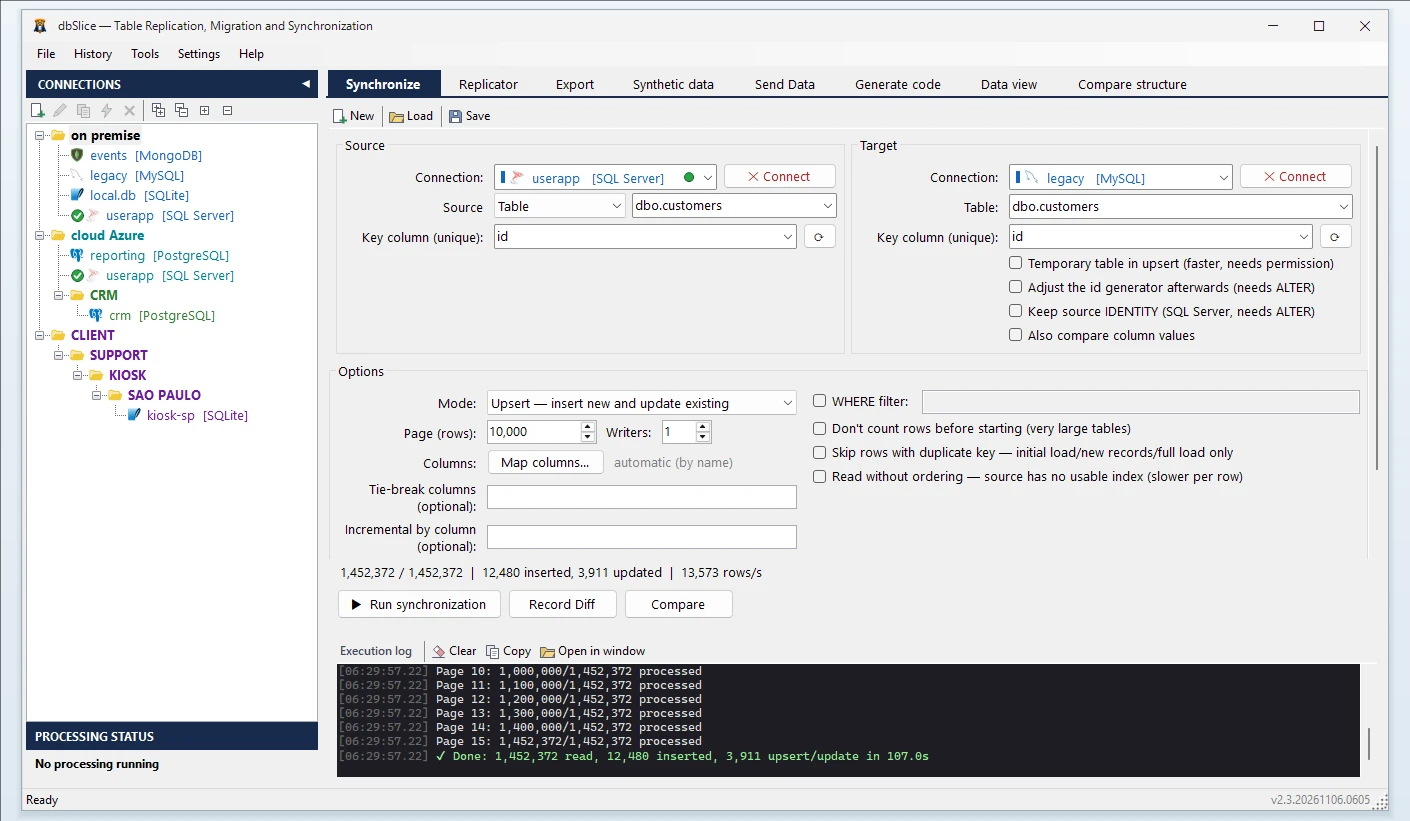
- Pick dbSlice when the job is to copy tables, keep a target up to date on a schedule and check that source and target match, from one Windows app with a public price.
Price
Qlik Replicate has no public price: Qlik sells it on request, as part of Qlik Data Integration and Qlik Talend Cloud, with a free trial and a guided demo. (qlik.com, 12/11/2026)
dbSlice Desktop is US$ 89.99 (launch price; regular US$ 149.99) and the Windows Server edition US$ 199.99 (launch price; regular US$ 299.99), perpetual, with optional maintenance after year one. The prices are public, and there is a free version on the Microsoft Store.
Side by side
| dbSlice | Qlik Replicate (as of 12/11/2026) | |
|---|---|---|
| What it is | A Windows app and CLI that moves, syncs and compares data | An enterprise replication platform |
| Where it runs | Your Windows machine or server; Linux edition in Docker | A replication server you manage (on-premises or VM), or Qlik Cloud |
| How changes move | Batch jobs, on demand or on a schedule: upsert, insert-new, incremental by a growing column | Continuous CDC that reads the transaction log |
| Targets | The leading relational databases, plus MongoDB, Cassandra, Elasticsearch, Couchbase, Redis and Kafka | Data warehouses, lakes, Kafka and the major clouds |
| SAP and mainframe | No | Yes |
| Changes on your database | None by default: no supplemental logging, triggers or replication permissions | Reads the transaction log; check the source requirements with the vendor |
| Compare source and target key by key | Yes, with the list of divergent keys | Check with the vendor |
| Mask data while copying | Yes | Check with the vendor |
| Pricing | Public, perpetual license | On request |
When Qlik Replicate is the better choice
- You need continuous replication with low latency, not scheduled runs.
- The sources include SAP, the mainframe (IMS, VSAM, DB2 for z/OS) or Salesforce.
- You feed a data warehouse, a lake or Kafka from dozens of production sources, and want one console for thousands of tasks.
- You have the budget and the team for an enterprise data integration platform.
When dbSlice fits better
- You run a one-time or phased migration, such as SQL Server to PostgreSQL, and want the new database kept in sync until cutover.
- Nightly or hourly syncs are enough, and you want to prove that source and target match before writing or before the switch.
- You need masked copies of production for test and staging.
- You should not change the production database: dbSlice reads through a normal connection.
- A small team wants a public price and a GUI instead of a platform project.
Using both
Where Qlik Replicate already feeds the warehouse, dbSlice can take the side jobs: masked copies for staging, a one-off move between two databases, or a key-by-key compare of a replicated table against its source.
In one dbSlice license: migrate · keep in sync on a schedule · CLI jobs · compare key by key · masking with keys and foreign keys preserved · synthetic test data for DEV and QA
FAQ
Does dbSlice do real-time replication or CDC?
No. dbSlice runs batch jobs, on demand or on a schedule. Incremental runs read the rows above the last value of a column that only grows; they do not read the transaction log.
Can dbSlice replace Qlik Replicate?
Only when scheduled syncs are enough. If the project needs continuous CDC, SAP or mainframe sources, or dozens of live pipelines, Qlik Replicate is built for that and dbSlice is not.
Is there a free version?
Yes, on the Microsoft Store; writing to a target needs a Desktop or Server license.
Sync SQL Server to PostgreSQL →
Qlik and Qlik Replicate are trademarks of QlikTech International AB. dbSlice is not affiliated with Qlik. Competitor information comes from its public website on the date shown and may have changed.