
Try it free on the Microsoft Store · See pricing
What dbSlice does on this route
- Moves data, not the schema. Create the tables in Azure first (from your scripts, or from the
CREATE TABLEdbSlice shows for your DBA). dbSlice does not create objects in your databases by itself. - Initial load with bulk copy. The first run uses SQL Server's bulk copy into the empty Azure table. You can keep the original
IDENTITYvalues, which needsALTERpermission on the table. - Upsert built for a long link. Each page of up to 5,000 rows goes to Azure as one command and is applied with a single
MERGE, so a slow round-trip to the cloud costs one trip per page, not one per row. It needs only read and write permission on the table. If your DBA allows temporary tables, an optional staging mode is faster still. - Reads and writes at the same time. While one page is written to Azure, the next is already being read from the source, so the latency of the two sides overlaps.
- Warns before writing across environments. When the source is on-premises and the target is in the cloud, dbSlice shows it on screen before the run.
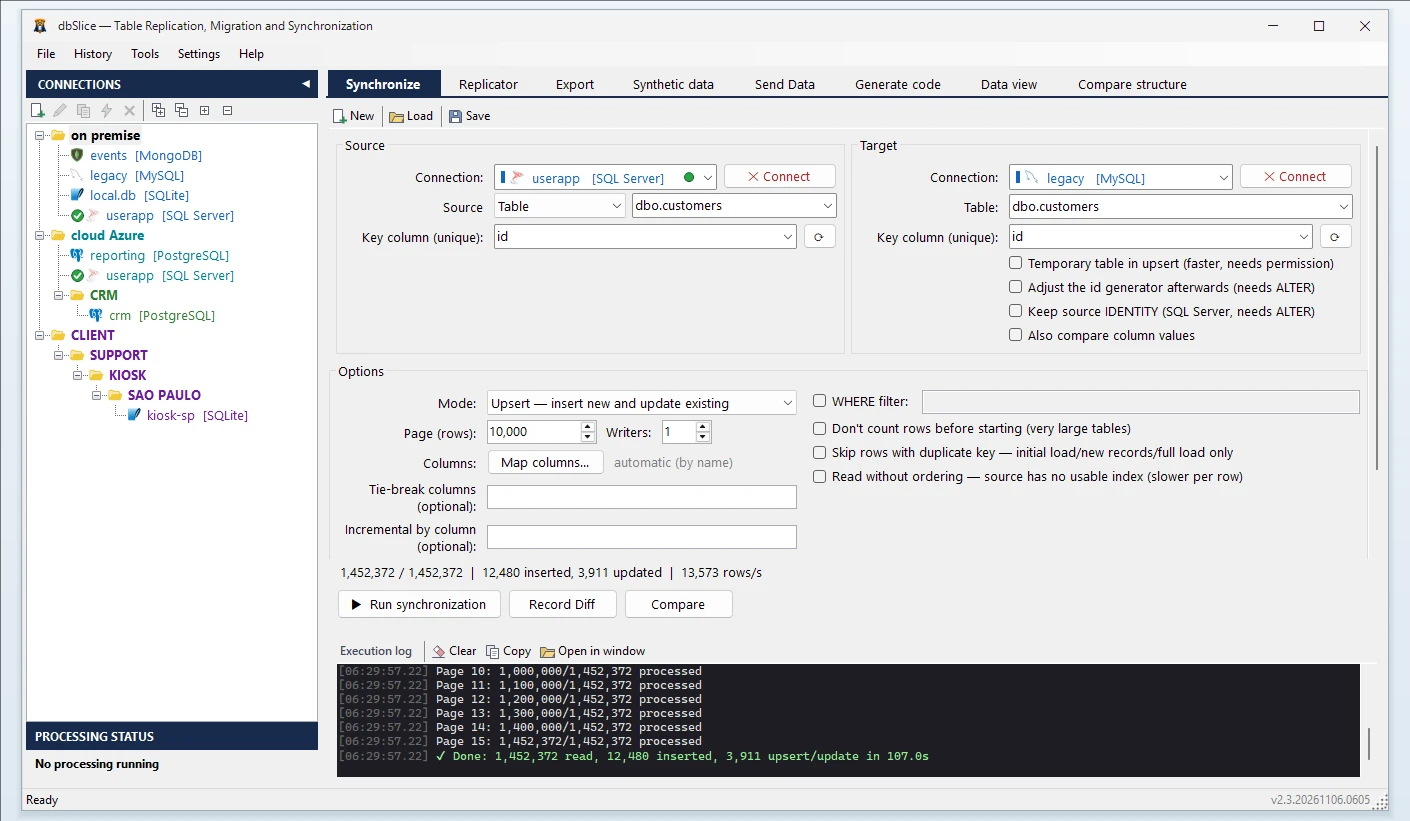
Before the first run
- Firewall. Azure SQL accepts connections only from allowed IP addresses. Add the public IP of the machine that runs dbSlice, or use a private endpoint or VPN.
- Encryption. Use
Encrypt=Truein the connection. Azure SQL requires it. - Service tier. A small tier limits log write throughput, and a large initial load slows to that limit. Many teams scale up for the load and back down afterwards.
- What stays behind. Like any data tool, dbSlice does not move procedures, SQL Agent jobs, linked servers or cross-database queries; Azure SQL Database does not support some of them. Plan those with your DBA.
Step by step
- Connect to SQL Server and to Azure SQL (server
yourserver.database.windows.net, port 1433). - Pick the source table or a SELECT, and the target table in Azure.
- Choose the key column used to match rows.
- Choose the mode: Initial load the first time, then Upsert or Insert new on each run.
- Check before you switch: Record Diff and Compare show missing and different rows, key by key.
- Run it, or save it as a job and schedule it from the CLI. The Replicator copies a list of tables in one run, parents before children.
Keep on-premises and Azure in step until cutover
Schedule an Upsert job every night, or every hour. With a column that only grows (an updated_at or the IDENTITY id), each run reads only the rows above the last value it saw. Incremental runs do not see deletes in SQL Server, so run a full compare or a reload before the switch. dbSlice syncs in batches, in one direction; it is not real-time replication.
How fast is it?
One measured run: 31.4 million rows into Azure SQL in about 30 minutes (≈17,200 rows/s), initial-load mode, from a SQLite file on a local disk. Over a WAN link the network and the Azure service tier usually set the pace, so time a job on your own tables. Conditions and other numbers are on how fast is dbSlice.
Other routes from SQL Server
SQL Server to PostgreSQL or SQL Server to MySQL. All pairs: migration guides.
Try it
The free version on the Microsoft Store connects to SQL Server and Azure SQL, shows the data, compares and exports to CSV, with no license key. Copying and syncing into the target needs a Desktop or Server license (perpetual, with 12 months of updates, 14-day money-back guarantee).