
When SQLite is the right target
- An app that carries its data: a catalog, a price list or reference tables shipped inside the application.
- Offline or field use: a slice of the central database on a device that is not always connected.
- Local reads: reporting or lookups that should not hit the central server. See the architecture guide on SQLite read models.
- A portable test copy of a real database, with sensitive columns masked on the way.
SQLite allows many readers but one writer per file at a time. It fits reading and light writing; it does not replace a server database for many concurrent writers.
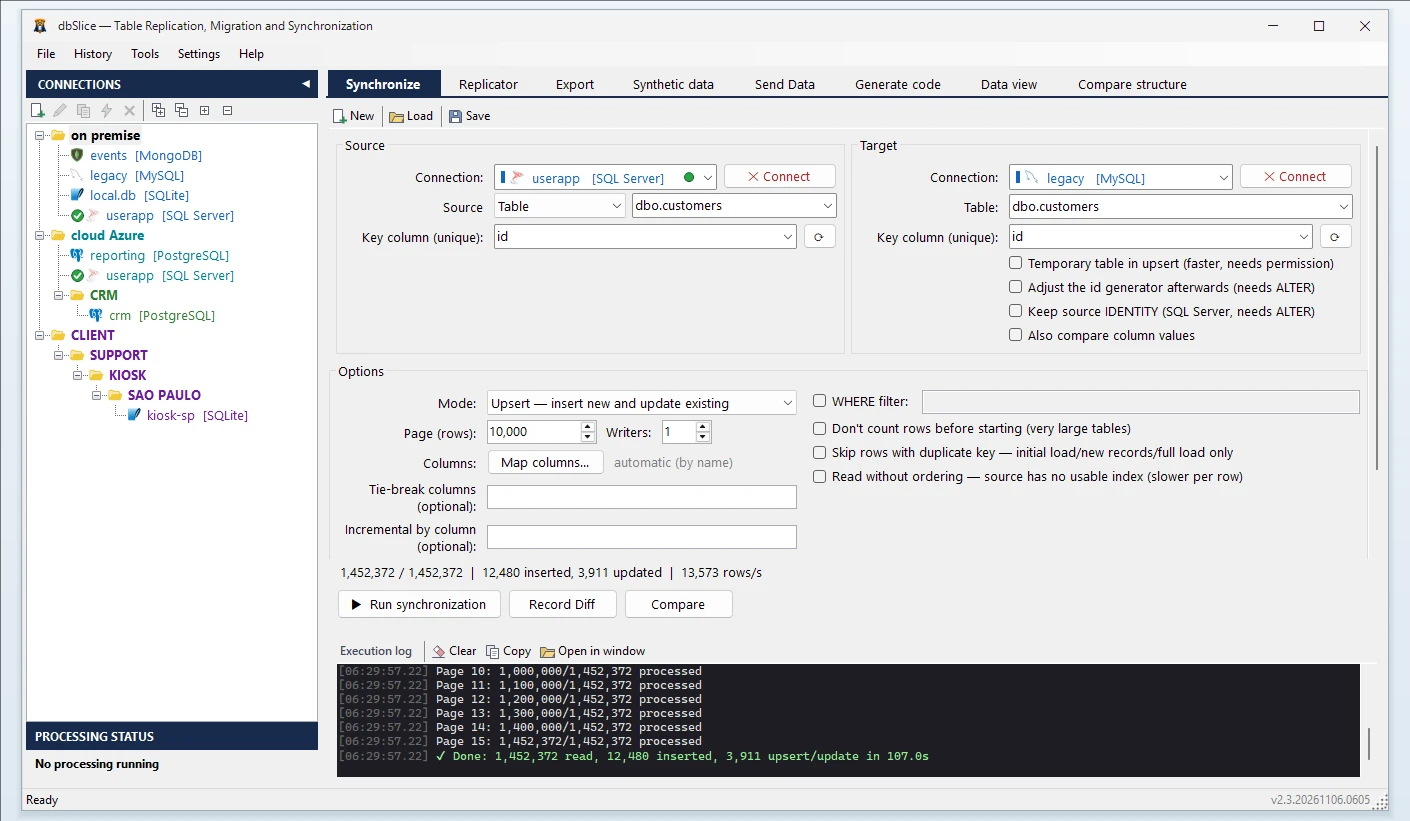
What dbSlice does
- Connects to the source and to a SQLite file (the file path is the connection).
- Copies whole tables or a slice: use a SELECT as the source to take only the rows and columns you need.
- Shows the target DDL. If the table does not exist in the SQLite file, dbSlice stops before writing and shows a
CREATE TABLEfor you to review and run. - Repeats safely: Upsert uses
ON CONFLICT, so a nightly run refreshes the file instead of rebuilding it. - Masks while copying, for test and demo files.
- Also exports to a
.dbfile from the export screen, when you just need a file out of a table or query result.
Details to plan for
- Decimals become
REAL. The suggested DDL mapsDECIMAL/NUMERICtoREAL, which is floating point. For money, edit theCREATE TABLEbefore running it: store amounts as integers (cents) or asTEXT. - Dates, times and GUIDs become
TEXT. SQLite has no date or GUID type; dbSlice writes dates asyyyy-MM-dd HH:mm:sstext and GUIDs as text, which sort and compare as expected. - Booleans become
INTEGER(0/1). - Foreign keys. SQLite only accepts a foreign key inside
CREATE TABLE, not added to an existing table. dbSlice leaves it out and says so in the script; add it to theCREATE TABLEyourself if the app needs it. - One writer. Copying into SQLite runs one writer at a time, in a single transaction per batch.
- Stored procedures do not exist in SQLite, so none can be called or copied.
Step by step: copy a table into a SQLite file
- Connect to the source (SQL Server, MySQL, MariaDB or PostgreSQL) and to the SQLite file (an existing file or a new path).
- Pick the source table (or a SELECT for a slice) and the target table.
- Choose the key column used to match rows.
- Choose the mode: Initial load first, then Upsert or Insert new.
- Check before writing with Record Diff and the on-screen checks.
- Run it, or save it as a job and schedule it from the CLI. The Replicator copies a list of tables in one run.
Also works for
SQLite to PostgreSQL and SQLite to SQL Server (the other direction), and MySQL and MariaDB to PostgreSQL.
Try it
The free version on the Microsoft Store connects, shows the data, compares and exports to CSV, with no license key. Copying and syncing into the target needs a Desktop or Server license (perpetual, with optional yearly maintenance, 14-day money-back guarantee).
Get the free version · Buy a license
FAQ
Can SQLite handle many people writing at once?
No. SQLite allows many readers but one writer per file at a time. It fits reading and light writing, not many concurrent writers.
Why do my decimals become REAL?
The suggested DDL maps DECIMAL/NUMERIC to REAL, which is floating point. For money, edit the CREATE TABLE before running it and store amounts as integers (cents) or as TEXT.
Can I copy only part of a table?
Yes. Use a SELECT as the source to take only the rows and columns you need.