
How a sync runs
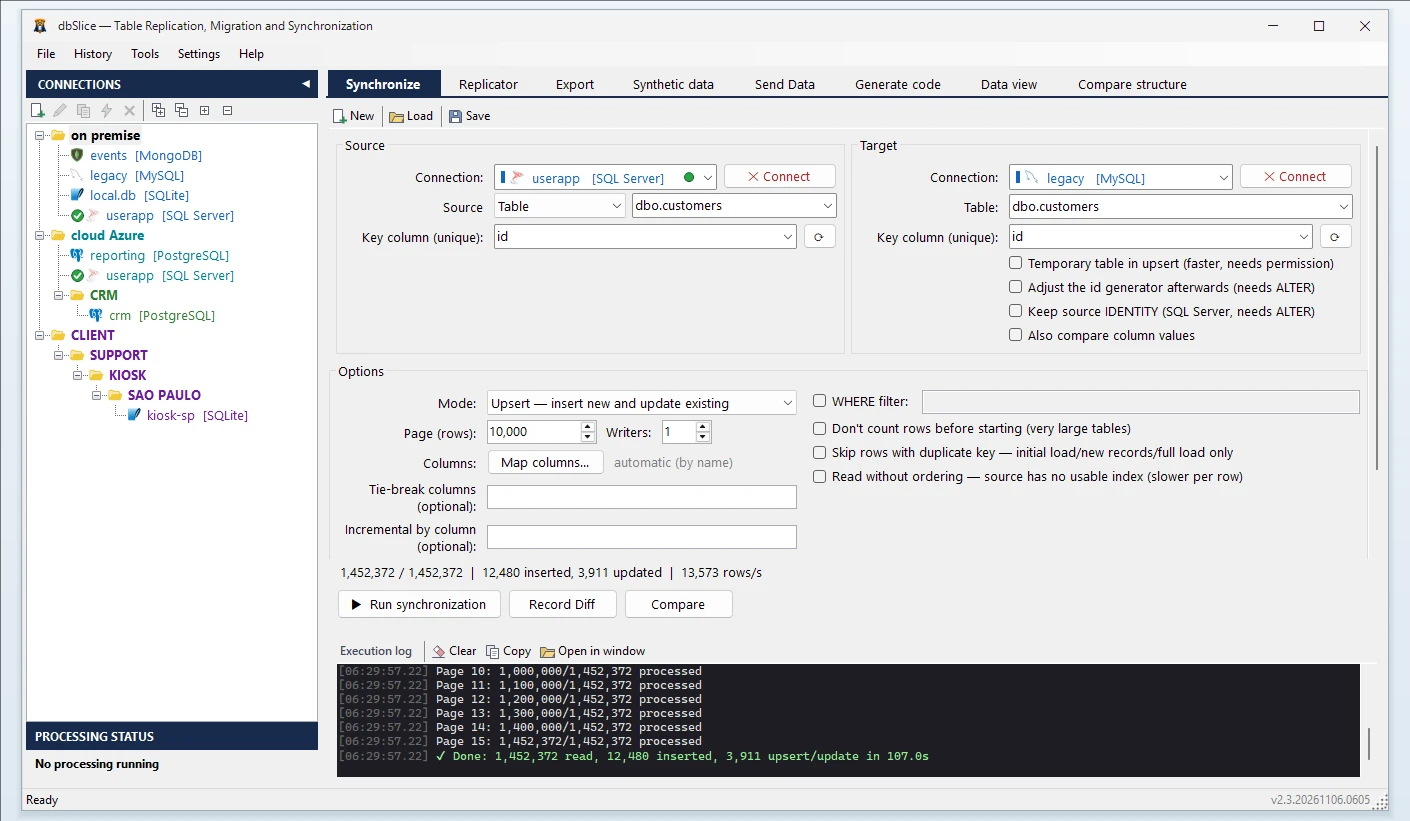
| Mode | What it does | Use it when |
|---|---|---|
| Initial load | Copies the table in pages by key | The first run, or a full refresh |
| Upsert | Inserts new rows and updates changed ones, by key | The usual nightly or hourly job |
| New rows only | Inserts rows missing on the target, leaves the rest | Append-only tables, logs |
| Update existing only | Updates rows that already exist on the target | The target must not grow |
| Incremental by column | Reads rows above the last value of a column that only grows (updated_at, a sequence id), with a re-read window for late commits | Large tables where reading everything each run is too slow |
Check before and after writing
- Record Diff shows which rows a run would insert or update before it writes.
- Compare checks source and target key by key and saves the list of divergent keys, so you re-sync only those rows.
Schedule it
- Every run on the screen can be saved as a job file and started from the command line, with logs, exit codes and e-mail or webhook alerts. Use the Windows Task Scheduler or your own scheduler. Database sync from the command line →
- The Linux edition runs in Docker with a web interface, a built-in scheduler and a job API for CI/CD.
Popular sync pairs
- SQL Server to PostgreSQL
- Oracle to PostgreSQL
- Other pairs: migration guides
What it does not do
- No real-time CDC: runs are batch jobs at the interval you set.
- Incremental runs do not see rows deleted at the source. Run Compare, or a reload, before you switch systems.
- It moves data, not code: stored procedures, triggers and views stay with your DBA or a code conversion tool.
In production
dbSlice has kept PostgreSQL fed from SQL Server with dozens of nightly Upsert jobs for more than six years, across several data centers and on-premises servers. dbSlice sync in live production →
FAQ
How do I keep two databases in sync automatically?
Run an initial load, then save an Upsert or incremental job and schedule it. Each run brings new and changed rows; run Compare to confirm nothing is missing.
Does dbSlice sync between different database engines?
Yes. Source and target can be any of the leading relational databases dbSlice supports, in any direction.
Does it install triggers or agents?
No. By default it reads the source by key in small batches and creates nothing in either database.
Is it real-time?
No. It runs batch jobs. For changes within seconds, use log-based CDC.
Sync two databases automatically · Best database compare and sync tool · See pricing