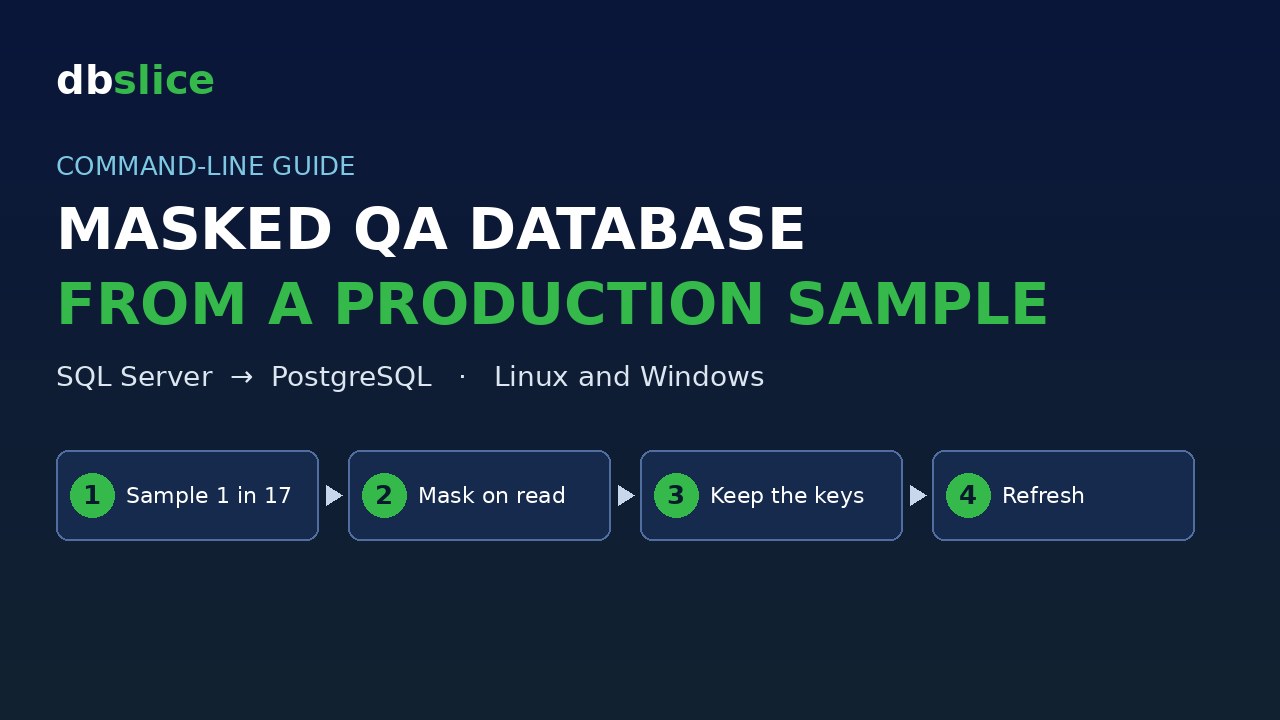
QA needs data that looks like production: the same keys, the same cities, the same credit limits, the same signup dates. It does not need real names, tax IDs, e-mails or phone numbers.
So you want a small PostgreSQL QA database, filled from a sample of the production customer table in SQL Server, with the personal columns masked. And you want it repeatable: one command that refreshes it whenever you like, from cron or CI.
This post shows how, on Linux and on Windows, with dbSlice by Thinwork. The same job file runs on both. Every output below comes from a real run.
The sample data
This is a lab example, and even the "production" side is generated. Nothing here is real data.
The table crm_customers (SQL Server) has 10,000 rows. The values only look personal:
- names come from two short lists (8 first names, 6 last names);
- the tax ID has the CPF layout (
000.000.000-00), but it is built from the id, so it is not a valid number; - e-mails are at
example.com; - phones and birth dates are computed from the id.
The QA table qa_customers (PostgreSQL) has the same columns and starts empty. The target must exist: dbSlice does not create the table during a sync. The two scripts are 01-sqlserver-source.sql and 02-postgres-qa.sql. All the files are in one download: masked-qa-database-from-production-sample.zip, with the job file and a ready-made script for Linux (run-linux.sh) and for Windows (run-windows.ps1).
The job file
A job is a small JSON file. It holds the source, the target, the key, the mode and the masking rules. It never holds a password: it only names a connection profile you saved in dbSlice. MASTER and Server-dbPostg are the profile names in our lab. Replace them with your own.
{
  "nome": "qa-customers-sample",
  "tipo": "sync",
  "mode": "ForceLoad",
  "origem": {
    "environment": "article",
    "db": "MASTER",
    "type": "TABLE",
    "object": "crm_customers",
    "key": "customer_id",
    "where": "customer_id % 17 = 0"
  },
  "destino": {
    "environment": "article",
    "db": "Server-dbPostg",
    "type": "TABLE",
    "object": "qa_customers",
    "key": "customer_id"
  },
  "ofuscar": true,
  "ofuscarCampos": {
    "full_name": "template:Customer {key}",
    "tax_id": "cpf:",
    "email": "email:",
    "phone": "keep:7,*",
    "city": "original",
    "segment": "original",
    "credit_limit": "original",
    "created_at": "original"
  },
  "pageSize": 10000
}
Four parts matter.
The sample. The where is written in the source's dialect (SQL Server here). customer_id % 17 = 0 takes one row in 17: 588 of the 10,000.
The mode. ForceLoad empties the target (TRUNCATE) and reloads it. That is what makes the refresh repeatable. It also means this job deletes everything in qa_customers. Never point the target at production.
The rules. "ofuscar": true turns masking on. ofuscarCampos maps each column to a rule:
| Column | Rule | Result |
|---|---|---|
full_name | template:Customer {key} | Customer 17 |
tax_id | cpf: | digits become *, punctuation stays |
email | email: | keeps 2 letters and the domain |
phone | keep:7,* | keeps the first 7 characters (+55 11 ) |
birth_date | no rule | default mask for the type |
city, segment, credit_limit, created_at | original | copied as is |
A column with no rule gets the default mask for its type: a date becomes 1900-01-01, text becomes ab****, a number becomes 0. That is what happened to birth_date.
Other rules exist: fixed:text writes a fixed value, null: writes NULL, and hash: writes a SHA-256 code. With hash:, the same value always gives the same code, so joins across tables still work. You can add an optional HMAC secret (ofuscarSegredoProtegido), protected on Windows with dbSlice --protect, so nobody can rebuild the codes by hashing guesses.
The keys. Primary and foreign keys are never changed. The log says so: obfuscate: 5 columns (keys and foreign keys kept).
Run it: Linux and Windows
| Linux (Docker edition, jobs API) | Windows (CLI) |
|---|---|
Needs curl and jq. Create an API token in the API tab of the web edition. Scopes: jobs:run and runs:read. Pick the jobs it may run and an expiry. Save it to a file. Copy the job file into the jobs/ folder of the instance's data volume. The API runs a job by its name. | Save the two profiles in dbSlice. Nothing else to set up. |
The token goes only in the Authorization: Bearer header. | The job takes no token and no password. |
Windows:
dbSlice.exe qa-customers-sample.json sample.logLinux:
URL=http://127.0.0.1:8098
TOKEN="$(cat ./token)"   # dbs_xxxxxxxx_...
curl -sS -X POST "$URL/api/v1/jobs/qa-customers-sample/run" \
  -H "Authorization: Bearer $TOKEN" -H "Content-Type: application/json" \
  -d '{"runLabel": "qa-refresh"}'
The API answers with a runId. Poll GET /api/v1/runs/<runId> until status leaves queued and running, then read GET /api/v1/runs/<runId>/log. On both systems the exit code tells you if the run worked. On Linux, make your script exit non-zero when the run did not end as succeeded.
What the run says
Windows output:
source : MASTER [SQL Server]  ·  crm_customers  ·  key: customer_id
obfuscate: 5 columns (keys and foreign keys kept)
field map: 4 with their own rule, 4 kept as in the source
target: Server-dbPostg [PostgreSQL]  ·  qa_customers  ·  mode: ForceLoad
impact: DELETES the target (TRUNCATE) and reloads
Page 1: 588/588 processed
OK  Done: 588 read, 588 inserted, 0 upsert/update in 0.3s  ·  read 0.0s / transform 0.0s / write 0.1s
Read the log before you trust the data. 5 columns are masked, 4 have their own rule, 4 are kept as in the source. And the impact line tells you the target is wiped first.
The masking happens on read, before the write. The original value never reaches the QA database.
The Linux run returns the same counts. The lab instance runs in Portuguese, so its log is in Portuguese: 588 lidos, 588 inseridos.
The same five customers, before and after
SQL Server, the production side:
customer_id|full_name|tax_id|email|phone|birth_date|city|segment|credit_limit|created_at
17|Bruno Rocha|000.017.803-93|bruno.rocha17@example.com|+55 11 90629-1547|1950-08-10|Santos|corporate|1401.00|2024-01-01 08:47:00
34|Carla Almeida|000.035.607-86|carla.almeida34@example.com|+55 11 91258-3094|1951-03-19|Recife|smb|2302.00|2024-01-01 17:34:00
51|Diego Pereira|000.053.411-79|diego.pereira51@example.com|+55 11 91887-4641|1951-10-26|Campinas|retail|3203.00|2024-01-02 02:21:00
68|Elisa Costa|000.071.215-72|elisa.costa68@example.com|+55 11 92516-6188|1952-06-03|Curitiba|corporate|4104.00|2024-01-02 11:08:00
85|Fabio Lima|000.089.019-65|fabio.lima85@example.com|+55 11 93145-7735|1953-01-10|Sao Paulo|smb|5005.00|2024-01-02 19:55:00
PostgreSQL, the QA side:
 customer_id |  full_name  |     tax_id     |            email            |       phone       | birth_date |   city    |  segment  | credit_limit |     created_at
-------------+-------------+----------------+-----------------------------+-------------------+------------+-----------+-----------+--------------+---------------------
          17 | Customer 17 | ***.***.***-** | br***********@example.com   | +55 11 ********** | 1900-01-01 | Santos    | corporate |      1401.00 | 2024-01-01 08:47:00
          34 | Customer 34 | ***.***.***-** | ca*************@example.com | +55 11 ********** | 1900-01-01 | Recife    | smb       |      2302.00 | 2024-01-01 17:34:00
          51 | Customer 51 | ***.***.***-** | di*************@example.com | +55 11 ********** | 1900-01-01 | Campinas  | retail    |      3203.00 | 2024-01-02 02:21:00
          68 | Customer 68 | ***.***.***-** | el***********@example.com   | +55 11 ********** | 1900-01-01 | Curitiba  | corporate |      4104.00 | 2024-01-02 11:08:00
          85 | Customer 85 | ***.***.***-** | fa**********@example.com    | +55 11 ********** | 1900-01-01 | Sao Paulo | smb       |      5005.00 | 2024-01-02 19:55:00
Same keys, cities, segments, limits and signup dates. Name, tax ID, e-mail, phone and birth date are gone. A test that filters by city, groups by segment or sums credit limits gives the same answer on QA as on the source sample.
Refreshing it
We ran the job a second time:
OK Done: 588 read, 588 inserted, 0 upsert/update in 0.3s · read 0.0s / transform 0.0s / write 0.1sSame 588 rows, same masked values. The sample does not grow: ForceLoad empties the table first. That makes the refresh repeatable, so you can schedule it.
Schedule it
Linux (cron), every Sunday at 03:00. Save the API call and the wait in a script that exits non-zero on failure:
0 3 * * 0 /opt/jobs/qa-refresh.sh >> /var/log/qa-refresh.log 2>&1Windows (Task Scheduler): create a task that runs dbSlice.exe qa-customers-sample.json sample.log. Task Scheduler reads the exit code, so a failed run shows up as a failed task.
What to know before you use it
- ForceLoad deletes the target. Point it only at the QA table. Check the
impactline in the log. - The target must exist. dbSlice does not create the table in a sync.
email:andkeep:keep the text length. The*show how long the original was. If that matters to you, usetemplate:orhash:.- Masking is not a legal guarantee. It reduces the exposure of personal data in QA. Whether it meets LGPD, GDPR or your own policy is for you and your legal team to decide.
The series
"dbSlice CLI in daily work", four cases from the command line:
- Reconcile a Big SQL Server to PostgreSQL Migration from the Command Line
- Catch Up a PostgreSQL Replica After a Network Outage, from the Command Line
- Fix Broken Foreign Keys After Lost Queue Messages, from the Command Line
- Build a Masked QA Database from a Production Sample, from the Command Line (this post)
Also from the command line: Copy Only the Missing Rows from SQL Server to PostgreSQL from the Command Line.
Wrap up
One small JSON file builds a QA table from a sample of production, with the personal columns masked and the keys and business columns kept. The mask runs on read, so the original never lands in QA. The same job refreshes it, from a terminal, from cron, from Task Scheduler or from the API. The job never carries a password.
dbSlice is our own product, so take this with that in mind. Try it:
- Windows: dbSlice on the Microsoft Store. See what the Windows app does.
- Linux / Docker edition: it is a corporate edition, available by contact. Write to contact@dbslice.net. See what the Linux edition does.